What we've been working on lately (april/may)
Hi guys!
The past two weeks have flown by as we've been getting into the groove of working on Threadloop again, after a little family vacation. We're excited to be back, and to share a bit about what we're working on.
Our main priority has been building design details - a way to 'tag' patterns with style features and attributes so that it will make it much easier to find the patterns for your next project. We've actually been working on this on and off for.. years, actually! Sounds a bit crazy when you say it like that, but it's been quite a challenge to make this come to life. Especially considering the complexities of categorizing and ordering the most common details in garment design. Phew! We had some invaluable help from some of you guys - shoutout to thecrookedhem, Misfit Modiste, adifferentstitch, honeyglossed, antigonimakes, and everybody else who have helped out. Thank you!
We're getting close to releasing the first version of this, so we'll be sharing more of this soon. Can't wait!
The past two weeks have flown by as we've been getting into the groove of working on Threadloop again, after a little family vacation. We're excited to be back, and to share a bit about what we're working on.
Our main priority has been building design details - a way to 'tag' patterns with style features and attributes so that it will make it much easier to find the patterns for your next project. We've actually been working on this on and off for.. years, actually! Sounds a bit crazy when you say it like that, but it's been quite a challenge to make this come to life. Especially considering the complexities of categorizing and ordering the most common details in garment design. Phew! We had some invaluable help from some of you guys - shoutout to thecrookedhem, Misfit Modiste, adifferentstitch, honeyglossed, antigonimakes, and everybody else who have helped out. Thank you!
We're getting close to releasing the first version of this, so we'll be sharing more of this soon. Can't wait!
Recent improvements and updates
Better previews of project links
We got an email from someone in a sewing guild, asking if it would be possible to have better previews of project links when they are shared on social media and in messages. At the time, we hadn't customised the previews to project links because only logged in users are able to view projects. However, we did agree that it would be the best if you could get a little teaser of the project! So we worked on a solution for this.
When you share a project on Threadloop, it is just visible to logged in users. We wanted to keep it this way. So we needed to find a way for 'computers/the internet' to have access to some basic details about the project (the title and the cover photo) without signing in. So we decided to create a little preview of the project, encouraging people to sign up or log in to see the project. Before, you got sent to a log in screen with little context.
We got an email from someone in a sewing guild, asking if it would be possible to have better previews of project links when they are shared on social media and in messages. At the time, we hadn't customised the previews to project links because only logged in users are able to view projects. However, we did agree that it would be the best if you could get a little teaser of the project! So we worked on a solution for this.
When you share a project on Threadloop, it is just visible to logged in users. We wanted to keep it this way. So we needed to find a way for 'computers/the internet' to have access to some basic details about the project (the title and the cover photo) without signing in. So we decided to create a little preview of the project, encouraging people to sign up or log in to see the project. Before, you got sent to a log in screen with little context.
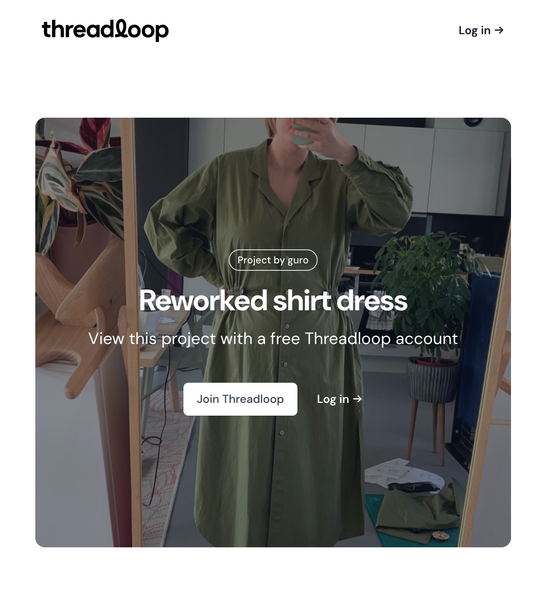
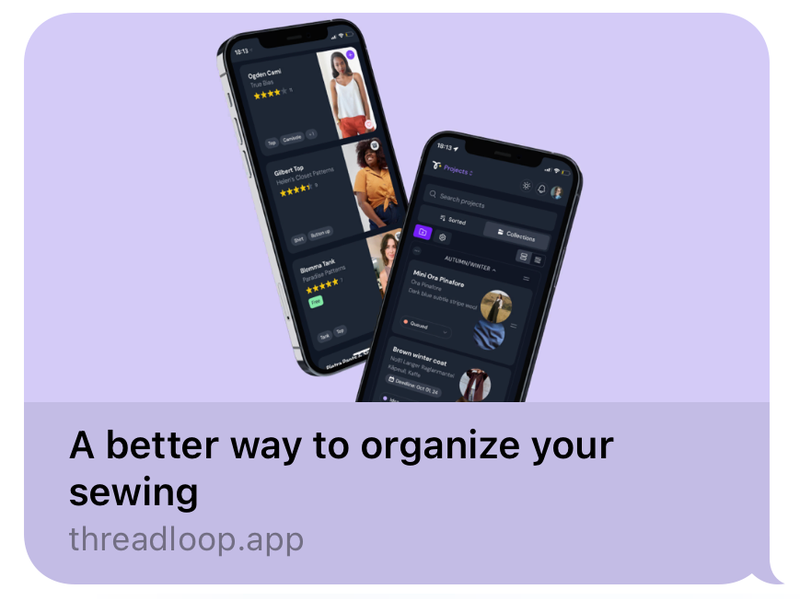
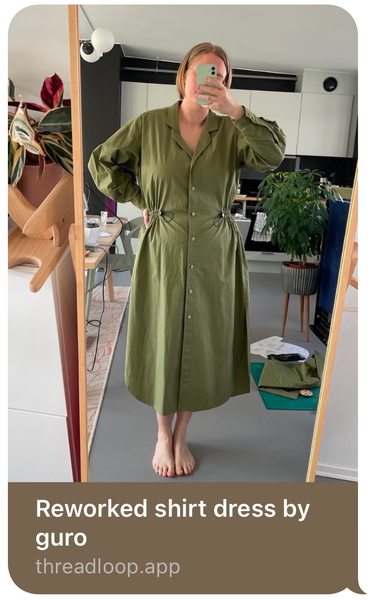
Now we had access to the title and cover image, so we could use that for the link previews you get when you share the link. These used to look very generic, but now they are custom to each project! They look a bit different on each platform, but here's how they look when you send a link on Messages on an iPhone:
Upgraded search engine for pattern lists
The pattern list search was.. not good enough. When this section was still new, it worked fine - when you searched "barrel leg" you would see the first and only pattern list using that term in the title, description, etc. No problem. We were using a fairly simple search engine so that we could release the feature as fast as possible. It seemed fine! However, we have more than 400 pattern lists, and without a good 'relevant' sort option, we had no way of showing you the best search results.
So we knew we needed to make some changes. Endre worked on upgrading the search engine to the same that we have for the pattern database. This is much more complex, but it returns results that are a lot more relevant!
This is the sort of update that isn't very exciting to tell you about and show you, but hopefully you will appreciate how much easier it is to get relevant lists for your keywords! I found it particularly interesting to search for trend/style terms or genres like "sci-fi", "alternative", "minimalist". It's also much more useful now to figure out if someone has already made a pattern list before making something similar.
Project description displayed in header
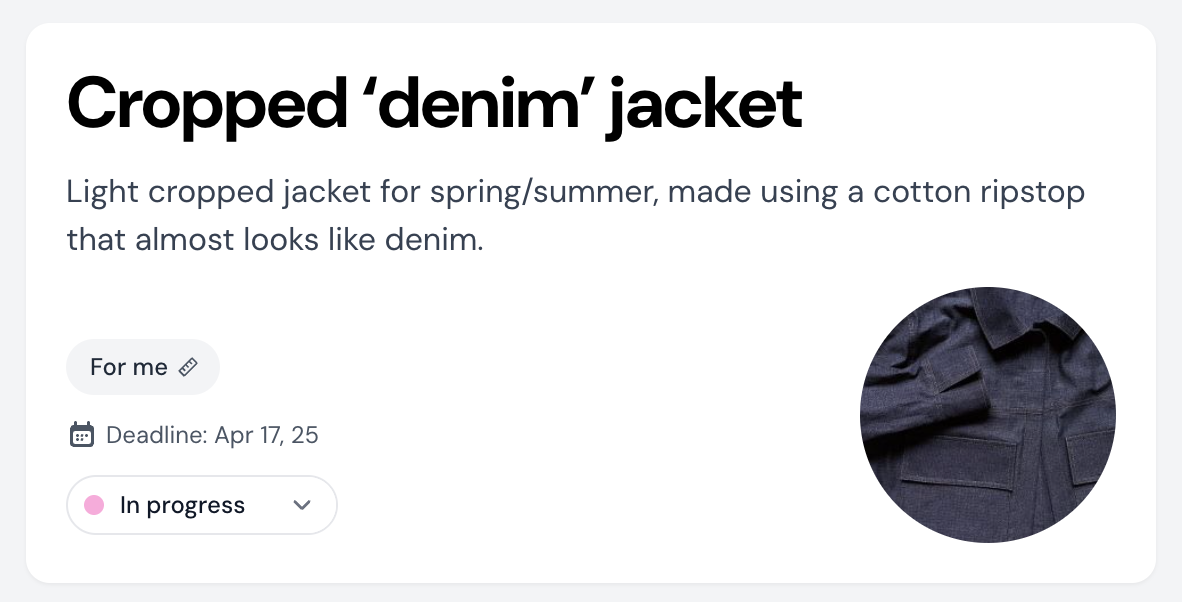
You have been asking for this for a while, sorry about the wait! We now show the project description on the header card when working on a project, below the title. Here you can write something about your motivation for this project, what it's for, or whatever you want. If you share your project, this same description becomes a sort of caption.
The pattern list search was.. not good enough. When this section was still new, it worked fine - when you searched "barrel leg" you would see the first and only pattern list using that term in the title, description, etc. No problem. We were using a fairly simple search engine so that we could release the feature as fast as possible. It seemed fine! However, we have more than 400 pattern lists, and without a good 'relevant' sort option, we had no way of showing you the best search results.
So we knew we needed to make some changes. Endre worked on upgrading the search engine to the same that we have for the pattern database. This is much more complex, but it returns results that are a lot more relevant!
This is the sort of update that isn't very exciting to tell you about and show you, but hopefully you will appreciate how much easier it is to get relevant lists for your keywords! I found it particularly interesting to search for trend/style terms or genres like "sci-fi", "alternative", "minimalist". It's also much more useful now to figure out if someone has already made a pattern list before making something similar.
Project description displayed in header
You have been asking for this for a while, sorry about the wait! We now show the project description on the header card when working on a project, below the title. Here you can write something about your motivation for this project, what it's for, or whatever you want. If you share your project, this same description becomes a sort of caption.
Easier to add missing designers
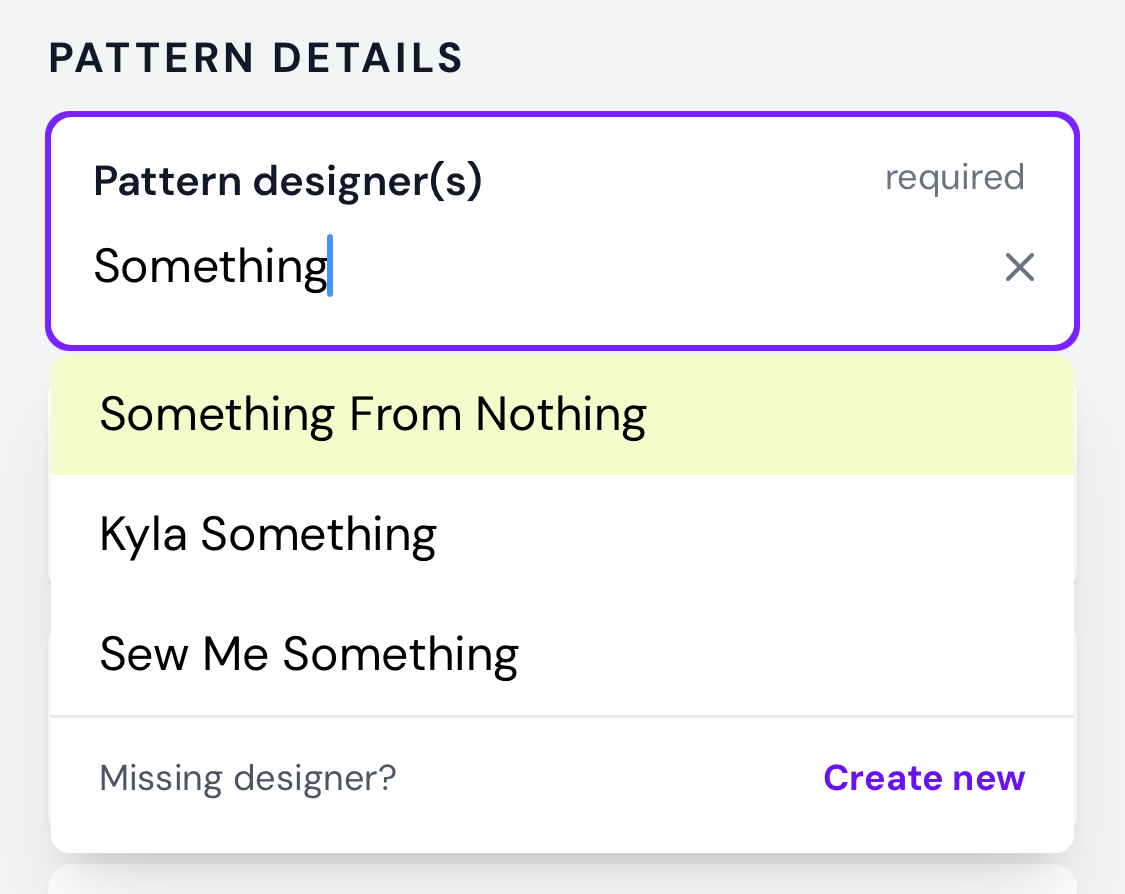
Some months ago, we had a pretty big problem where people were adding what they thought were missing designers, but they actually created duplicates. This was mainly due to our designer search in the pattern form being very simple. It would only show you exact matches to what you were writing. Simply explained: if you typed "Helens Closet" (without the apostrophe) you might not see "Helen's Closet Patterns". So dumb!
So we needed to make the search more fuzzy and return more results. HOWEVER we went way overboard on this, so you would get seemingly unrelated results all the time. Also, this made it super hard to actually add missing designers, because this option only appeared if you got zero results (which seemed almost impossible).
We made some tweaks, and the results are now way more relevant. Also, you will always get the option to add a missing designer, even if you get a few results. Much better!
Fabric source now visible on shared fabrics
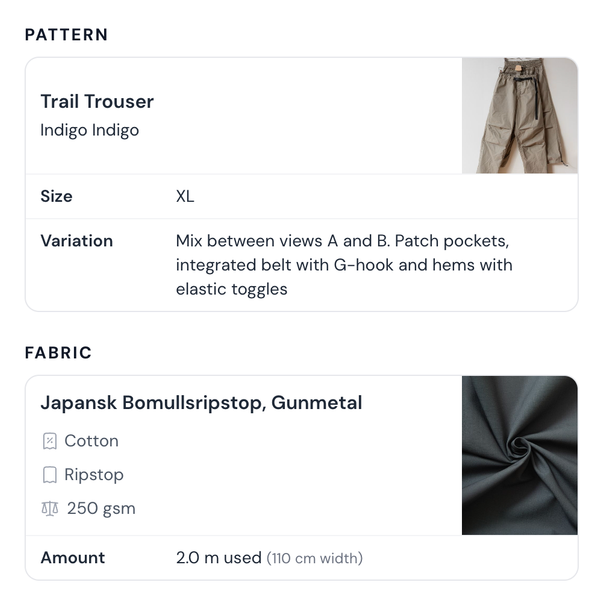
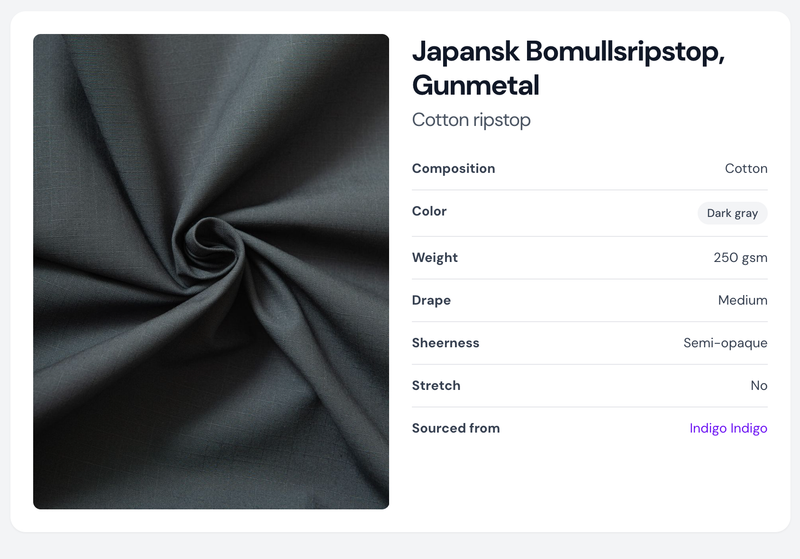
When you look at a Threadloop member's profile, you can have a closer look at the fabric they have in their stash or they used for a project. We used to show where this fabric was sourced from, and include the link to where they got it (if the member had included this in their fabric info). But we got feedback that this felt a bit privacy invasive (in the worst case: possibly exposing what city someone lives in based on the shops they frequent). So we decided to hide that field.
But we have gotten a lot of feedback after this that the fabric source can be really valuable to have access to - we agree! So we made some changes to how fabric sharing works.
Before, we would show fabric details on shared projects even if you hadn't toggled on fabric sharing in your account settings. So you would be able to click the fabric in a project and see a few more details on a separate page. We have made a little change to this - if you have not shared your fabrics (in your account settings) we will not link this to a fabric page anymore. So, if you don't want more than the basics of the fabric information to be shared (name, image, composition, weight, etc..), you just need to make sure this option is toggled off in your account settings. It's off by default.
That's the most important stuff for now!
Thanks for reading all the way through, champ.