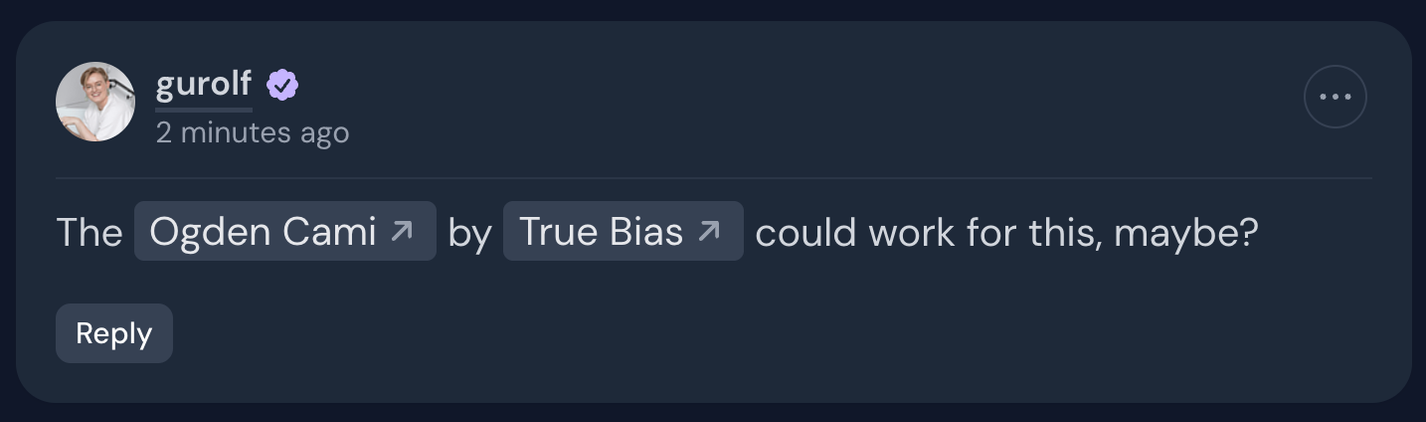
As some of you might know, there are three ways to tag members, patterns and designers in comments on Threadloop. Type a symbol, followed by the name, and it will create a link and/or send a mention notification.
@ for members
! for patterns
& for designers
This is super helpful if you want to link to patterns or designers, because you won’t have to find a link manually.
However! It came to our attention that you either didn’t know about this at all, or you kept forgetting how to do it. The instructions were right there in the placeholder text of every comment field, but as we’ve learned; people do not read placeholder texts.
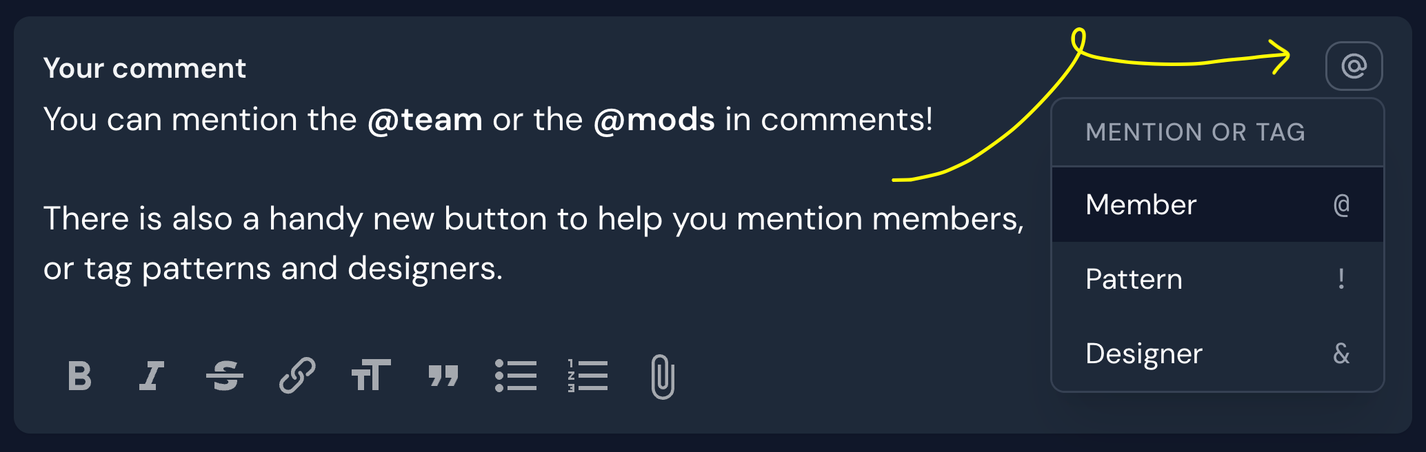
So we’ve added a button in the top right of every comment field that allows you to quickly reference all the tagging options - and to pick the one you want. You can obviously still just type the symbols, but it’s there if you need it.
Group-mention the team or moderators
Something new we added at the same time as this new mention/tag button is the option to group mention! Meaning: if you tag @team - the creators of Threadloop (Guro & Endre) will receive a notification. If you tag @mods - the moderator team will all receive notifications.
Block functionality
You've previously been able to mute members, which silences any notifications from their activity (for example if they compliment your project). We’ve now also created a block functionality for you to manage who’s content you’re seeing in the activity feed and shared projects. Blocking members also automatically mutes them.
To mute or block members, go to their profile -> click the options button in the top right corner -> Mute or Block. You can manage your muted and blocked members in your Notification settings.
Tools behind the scenes
We’ve been adding quite a few internal tools for the team and moderators. This is probably of limited interest to most members, but I thought I'd mention it here all the same - so you can see some of the work we do to make sure that you have a nice experience using Threadloop.
This includes:
A tool for resolve complex pattern duplicates, like pattern bundles being added instead of separate patterns
A tool for the team and mods to see more detailed activity of pattern editing, so we can monitor this more closely
A tool to connect designers’ user accounts with the existing designer in the database
That's all for now! In other news: we're currently working on a guide/help page that will come soon.