Connected patterns, new account settings, manage dashboard!
We might be quite speedy with creating new features, but we're not always so good at telling you guys about them! Let's do something about that. Here are some of the new features and improvements we've done on Threadloop lately:
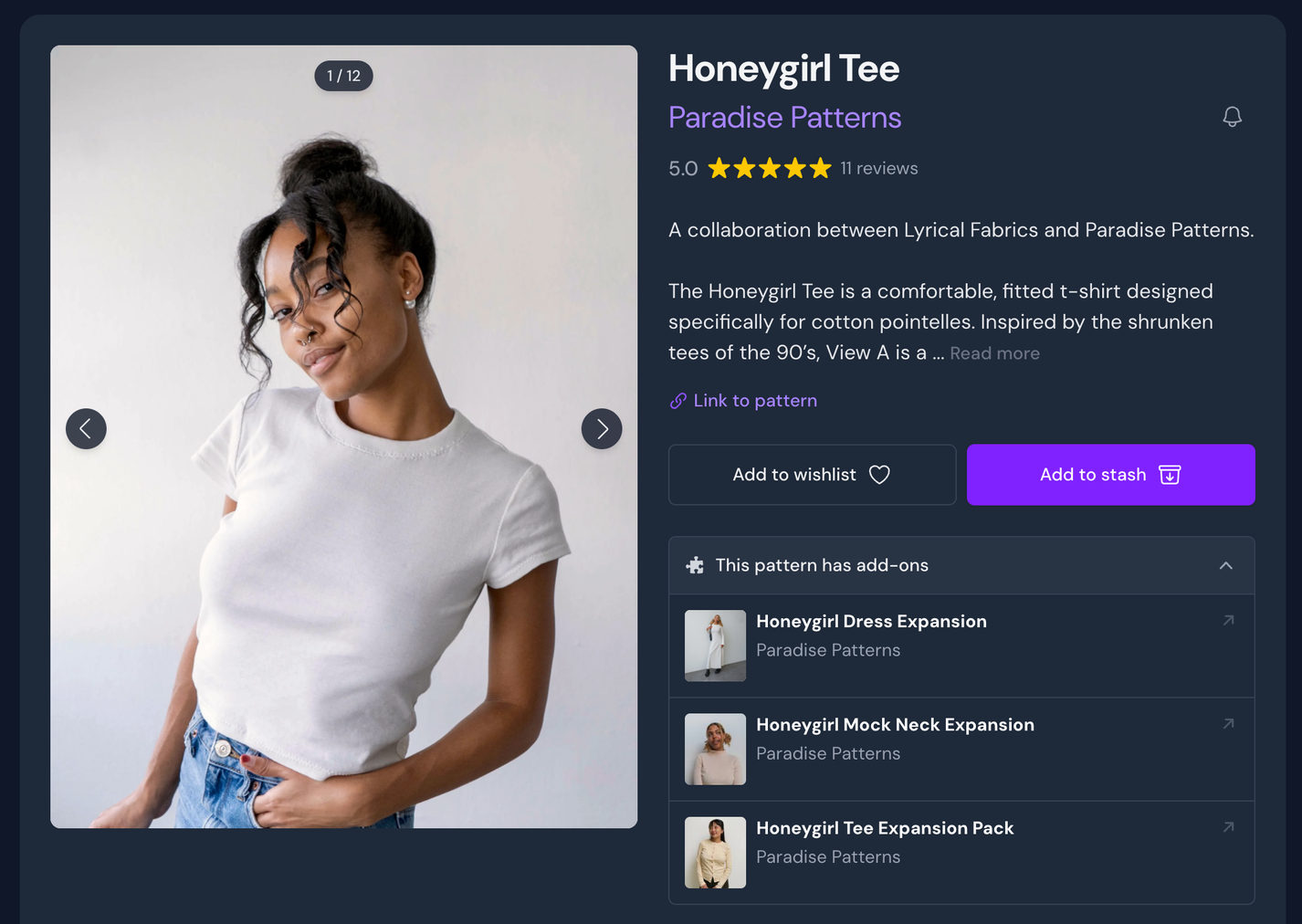
Connected patterns
Sometimes, patterns have ties to other patterns, for example an add-on that you need a base pattern for. Until now, we haven’t had a way to clearly link these patterns together.
But now we do, with connected patterns!
Only moderators and admins can create these connections, but the entire community gets the benefit. Whenever there’s a pattern that is intertwined with another pattern somehow, we can now make sure that this visible on all affected pattern pages.
The most common type of connection is the one we’ve already mentioned: extensions/add-ons and their base patterns. But there are other types of connections as well:
Reproductions (reissue of a vintage pattern)
Variants (same design for different ages or genders)
Cross-publication (same pattern released in multiple formats, for example in a magazine and as a standalone pattern)
When a pattern has any connected patterns, this will be visible on the pattern page as an expandable section, for example saying: “Add-on for…” or “Reproduction of…” - with a list of the relevant patterns.
Hopefully this will make it much easier to find and discover patterns that are linked with others!
"This pattern has add-ons" - list of all expansion packs
Two new account settings
If you want to share your fabric and notion stash with the community, but you’d like to have full control of any identifiable data found in the Source field (for example the name of your local fabric shop), there is now an option to hide this field for your shared fabrics and notions.
New 'Share sources' toggle
We’ve also added a new preference - skip delete confirmation. When you delete a project, we normally force you to type in ‘delete project’ to make sure that you’re not deleting something you actually don’t want to delete. If you are regularly deleting projects and would rather skip this confirmation stage, you can now toggle this option in your preferences. Before you toggle this, remember that there is no way to undo a deletion of a project.
New 'Skip delete confirmation' option
Manage dashboard
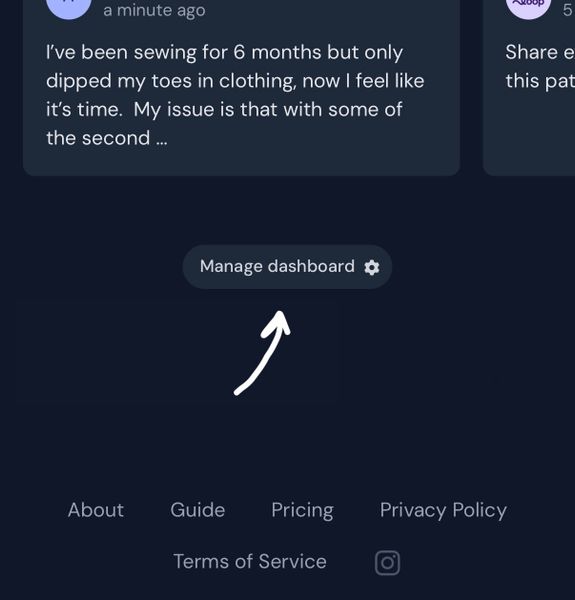
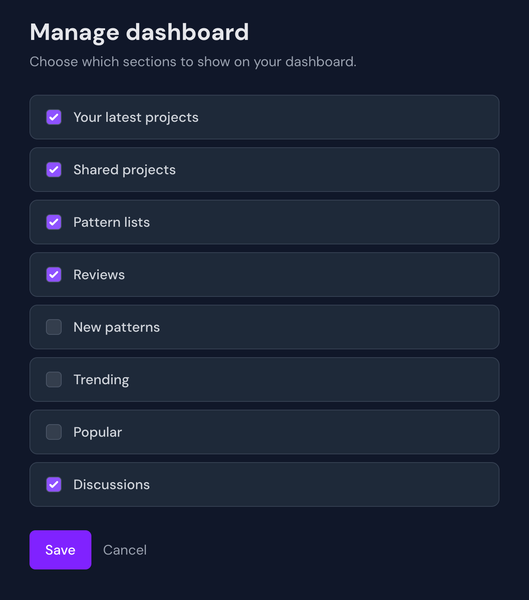
Plus members can now manage their dashboard, to customize which sections they're seeing. For example, someone on a self imposed pattern purchase ban might want to hide the new and trending patterns so they don't get tempted. To manage your dashboard, scroll to the bottom of the page and click Manage dashboard. You'll then be able to toggle individual sections on and off.