The discussions is Threadloop's sewing forum. Here is where you can ask questions, give advice and just chat with other sewists.
At the top of the discussions page is some pinned threads for support and feedback. This is where you should go if you need help with Threadloop in any way. Feel free to comment in one of the pinned discussions if you need help.
Discussion categories
When you make a discussion, you will assign it to one of the pre-set categories. Don't think too hard here, just select one and get chatting! However there is one special type of category you can't select:
Pattern discussions
Pattern discussions are a special type of category with a 1:1 relationship to a pattern. You can't create a new discussion under this category from the New discussion button, but rather from the Discussions tab under a pattern. Once a pattern has a pattern discussion, it can be found either in the pattern page or the discussions page.
Filtering
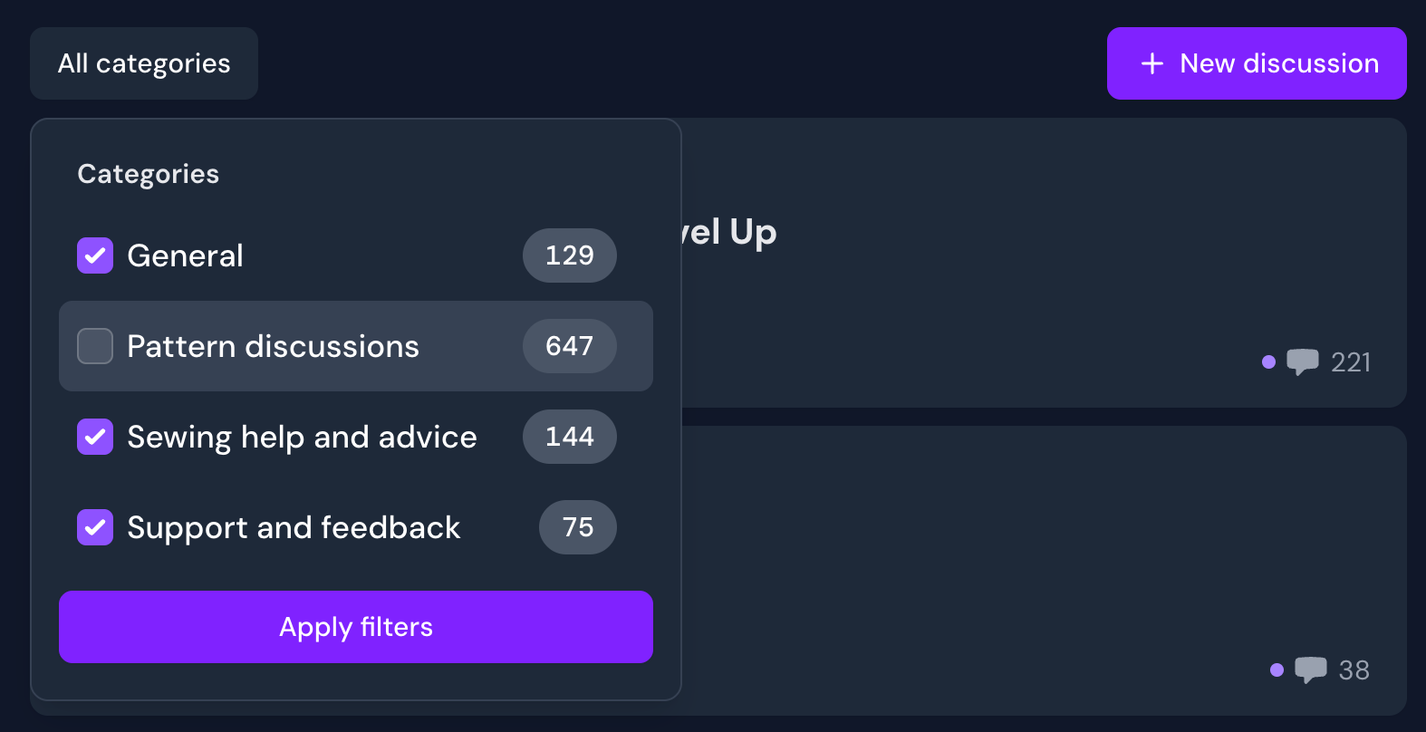
You can choose to hide or show discussion categories from the list. On the left side of the main discussion list is a button that (by default) says 'All categories'. You can click this to hide certain categories, and this will be remembered.
Discussion filters
Formatting and tagging
Discussion posts and comments use a rich text field, which allows you to apply advanced formatting. You can use the buttons at the bottom of the textbox or standard keyboard shortcuts on desktop.
Images
Images can be attached or copied into rich text fields. If placed next to each other (without whitespace between), they will automatically form a grid collage. You can write captions on them as well.
Embeds You can embed some links such as videos. A button for embedding should appear in the box when you go to link something, if compatible. Instagram and YouTube links are common examples.
Tagging
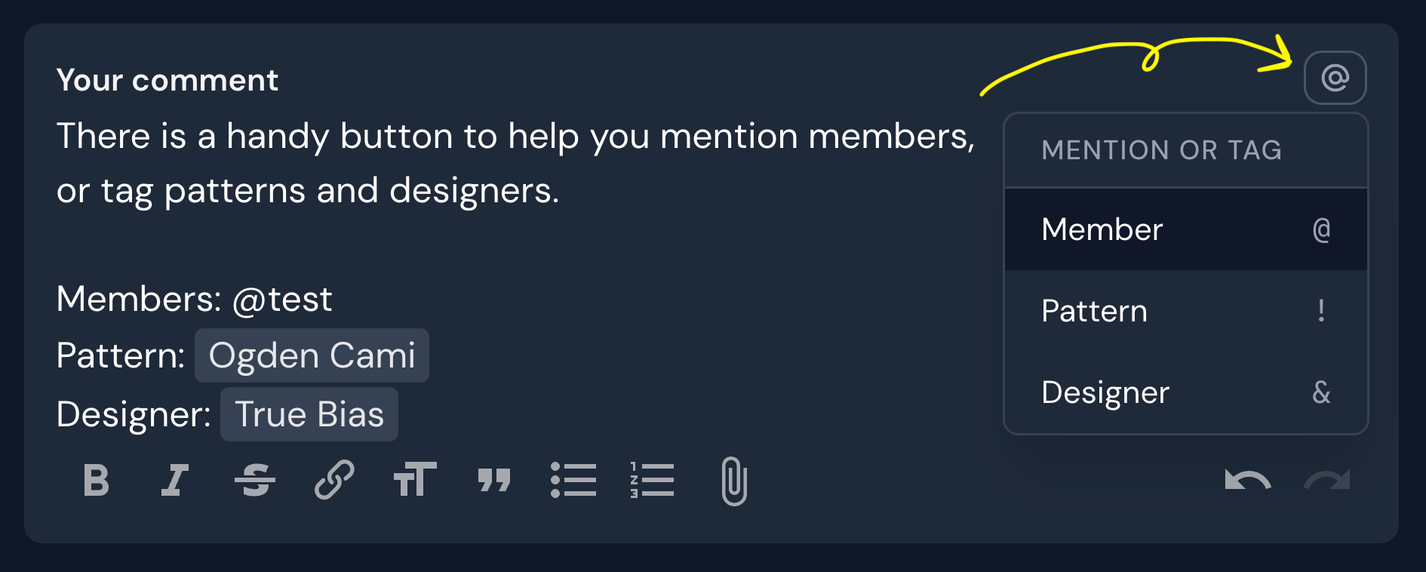
You can mention members by typing @ followed by their username. Similarly, you can add quick links to patterns and/or designers by using other symbols, notably ! for patterns and & for designers. This saves you from needing to navigate and copy links for pattern suggestions or discussions.
Tip! In the top right corner of a comment field, you will find an @-button you can click to reference which symbols you can use for tagging
This rich text field is in lots of places around Threadloop. Look for that formatting bar to take advantage of it. Some handy places it appears: