Introduction
FAQ
This is a collection of common questions or requests about using Threadloop's features. Most of these are answered in other articles, but this will be a quick reference for a question you think might have come up before.
I have a feature request
Feel free to drop a comment in the feature requests discussion, but also be sure to check the Trello roadmap if it has already been noted as a future plan.
How do I contact the team or moderators?
The team consists of the creators of Threadloop (guro & endre), and you can get in contact with them by either emailing support@threadloop.app or by tagging @team.
The moderators are dedicated Threadloop users who volunteer their time to uphold content standards and cultivate a safe, welcoming community.
You can tag all moderators at once using @mods
The moderators are:
huonekasvis
Misfit Modiste
adifferentstitch
EvieFae
Sallypants
Astamakes
Urieka
Jill C
The moderators are dedicated Threadloop users who volunteer their time to uphold content standards and cultivate a safe, welcoming community.
You can tag all moderators at once using @mods
The moderators are:
huonekasvis
Misfit Modiste
adifferentstitch
EvieFae
Sallypants
Astamakes
Urieka
Jill C
Can I have a toggle for patterns that I've printed, traced, adjusted?
You can do this using either the ready to sew toggle or by creating your own tag under the my details section of a stashed pattern. Both of these can be filtered in your stash.
Can I filter patterns by fabric required?
Unfortunately the fabric requirements for a pattern is just too complex for a numerical, filterable data field so it is a simple text field in Threadloop.
You can make notes on your stashed patterns about required fabric, either in the numerical field Fabric needed or in the rich text Notes field. Custom defined tags for a usage range (1-1.5m) can bridge the gap for filtering your own stash.
For finding ideas, check out the community pattern lists or ask other sewists in the discussions.
You can make notes on your stashed patterns about required fabric, either in the numerical field Fabric needed or in the rich text Notes field. Custom defined tags for a usage range (1-1.5m) can bridge the gap for filtering your own stash.
For finding ideas, check out the community pattern lists or ask other sewists in the discussions.
Can I manually order or prioritise projects?
For free users, you can filter or order by status and order by deadline. Using the ready to sew and queued status may help with this.
For plus users, we suggest checking out Collections for workflow management since projects can be easily reordered, hidden, collapsed and moved between collections.
For plus users, we suggest checking out Collections for workflow management since projects can be easily reordered, hidden, collapsed and moved between collections.
Can I filter and search my wishlist?
Yes! Wishlist can be accessed two ways - the view from my lists is ordered by date added but allows notes, but from the main pattern page you can filter for wishlist only and then apply any other advanced filter or search you want.
I'm trying to add a new designer but it says 'designer already exists'
This can happen if the designer has been added already as private, so you can't select it or create it. Drop a comment in the bugs and errors thread and Threadloop's mods can fix it.
I found a duplicate pattern in the database
You can report a duplicate in the options (three-dot) menu in the top-right of a pattern. Admins and mods go through these and merge them regularly. There are edge cases that might be left separate but your reports will be reviewed. (You can read about the edge cases in adding new patterns).
How do I get those nice links to patterns when commenting?
You can link a pattern using ! in the same way you would @ a user. Make sure you search by the pattern name only (not designer). You can also link designers this way using &.
Tip! In the top right corner of a comment field, you will find an @-button you can click to reference which symbols you can use for tagging
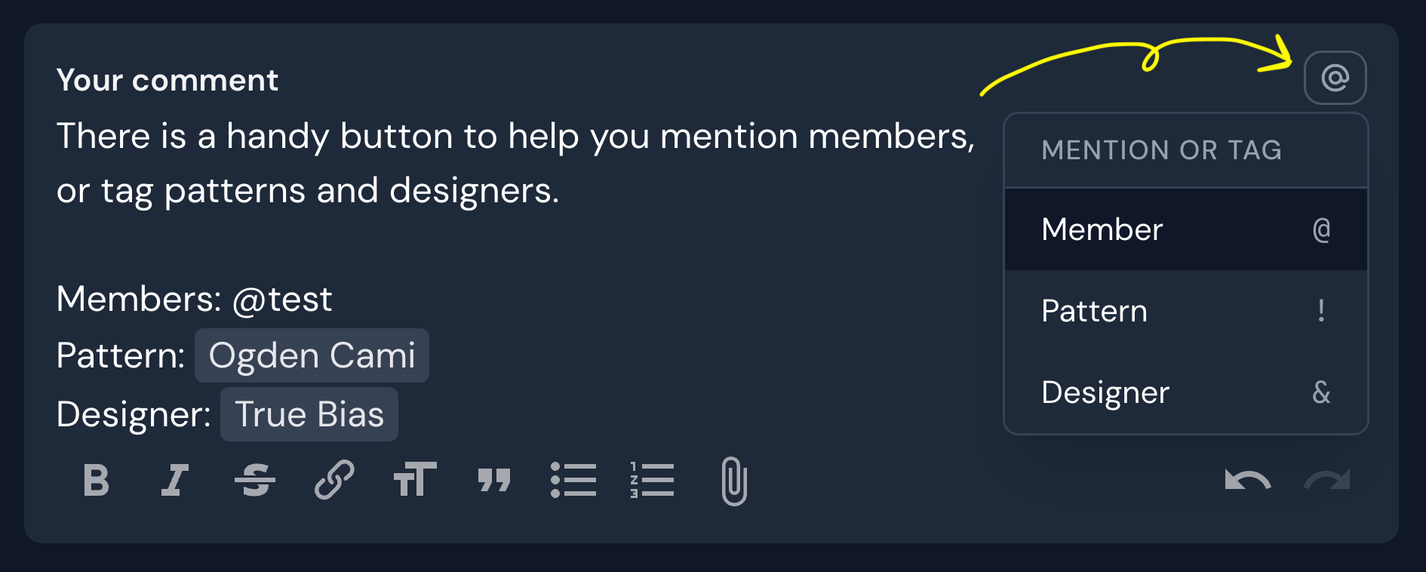
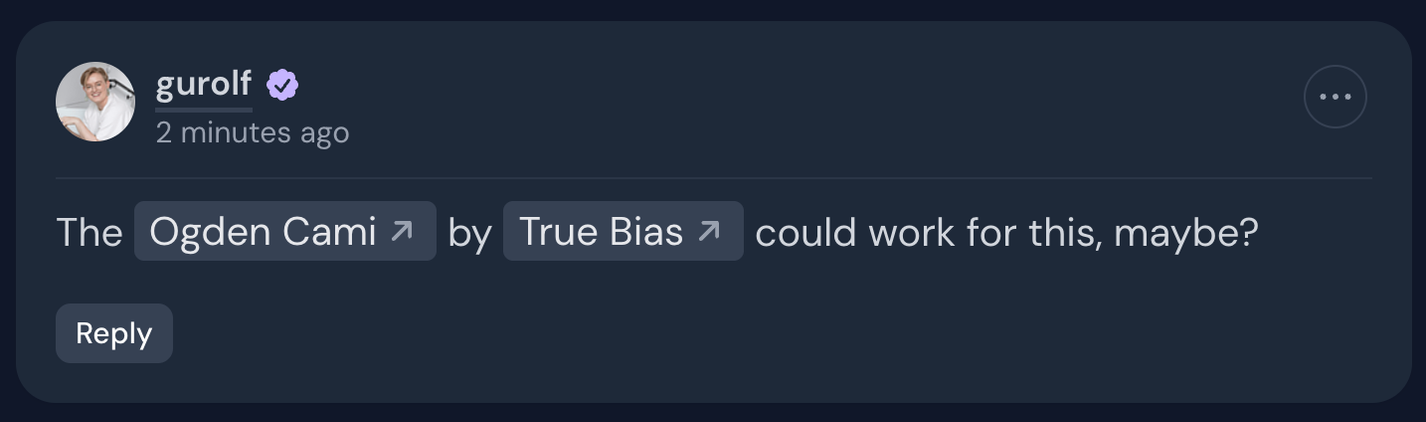
For example, type !ogden to find and link ogden cami. This works anywhere with rich text fields, like discussions and journals. See formatting and tagging for more details on rich text capabilities.
January 23, 2026