In your notification settings, you have full control over which notifications you receive, and how you receive them.
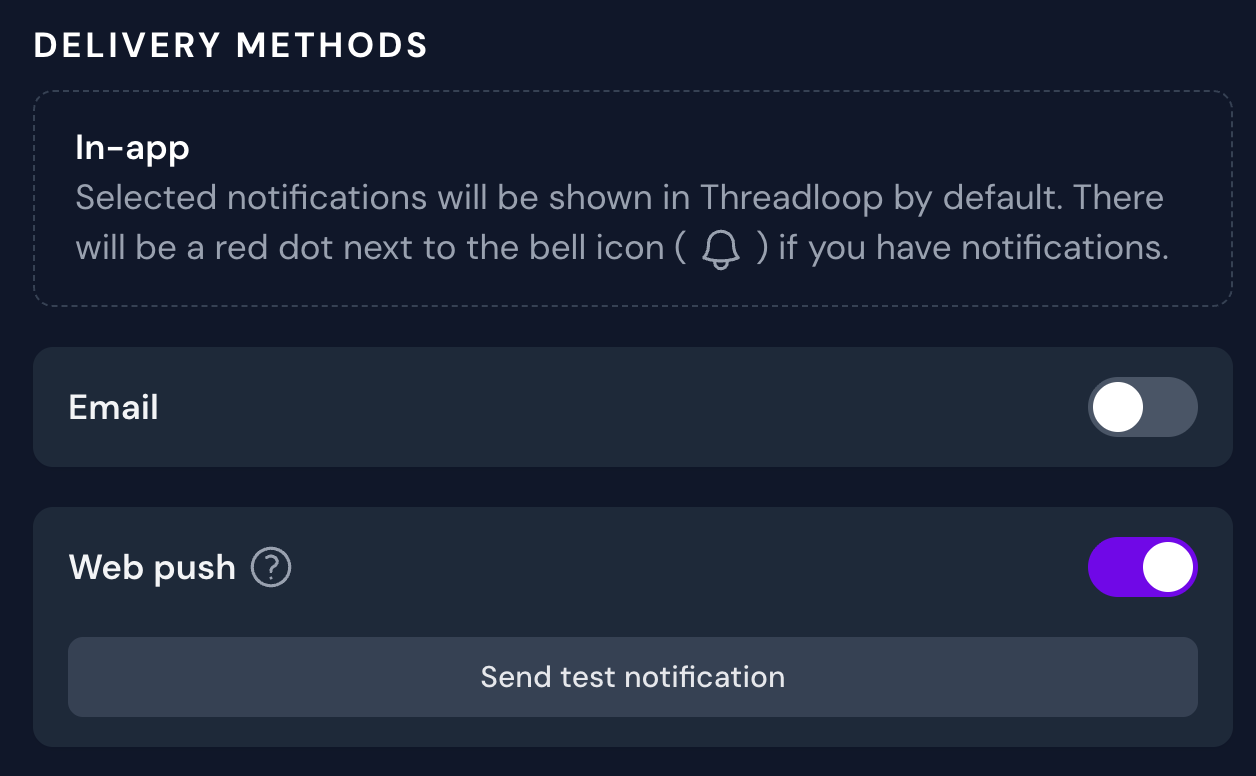
Delivery methods
By default, all applicable notifications will be shown in Threadloop. You will see a red dot next to the bell icon if you have a new notification.
If you want to receive notifications by email or web push, you can toggle these.
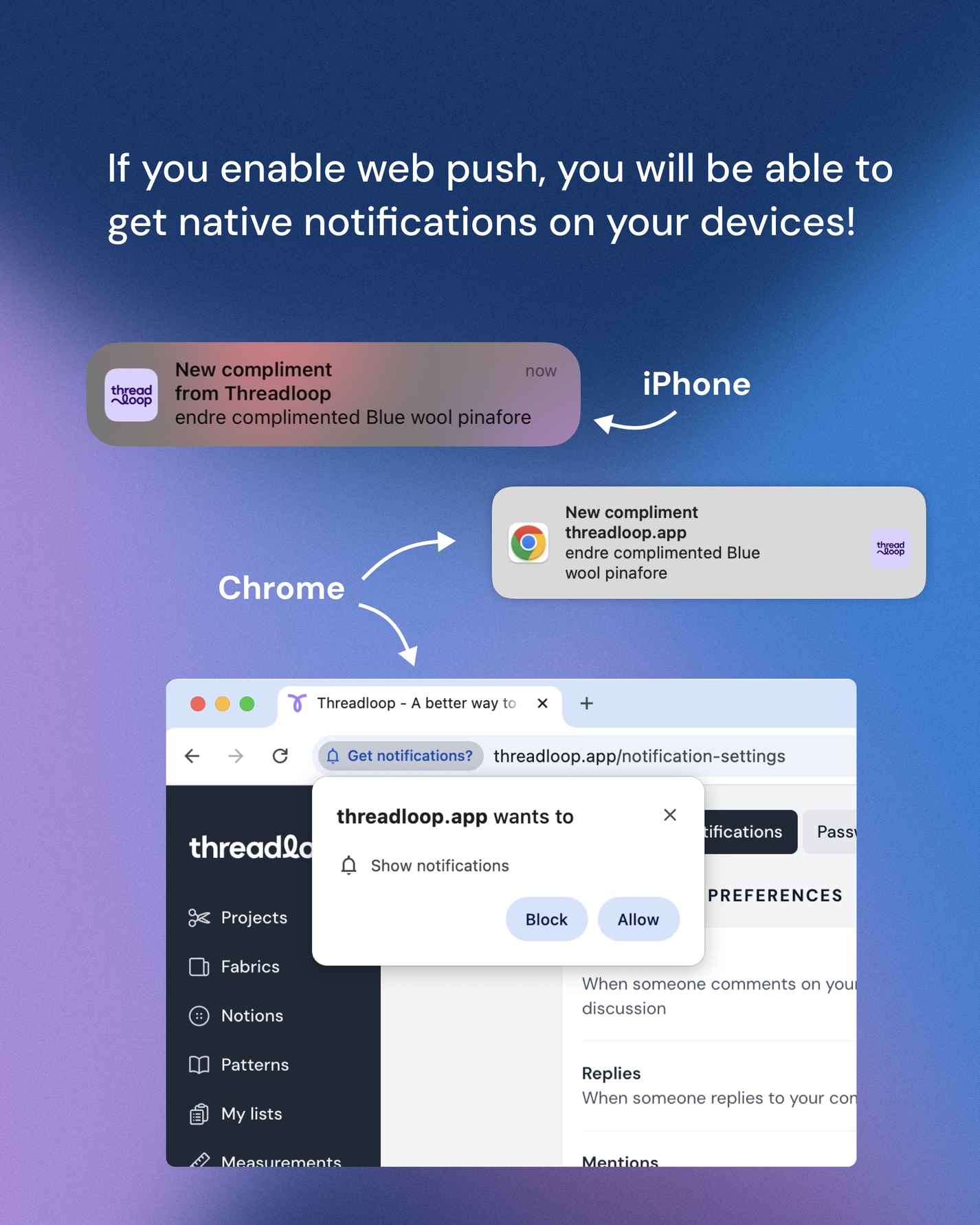
Web push notifications
These will show as 'normal' push messages on your device
Web push notifications require your permission to work. You will be prompted for permission, and can revoke it at any time.
If you want to use this feature in Safari (either iOS, macOS or iPadOS), you need to have Threadloop installed as a home screen app/web app.
You need to enable notifications for each of your devices separately.
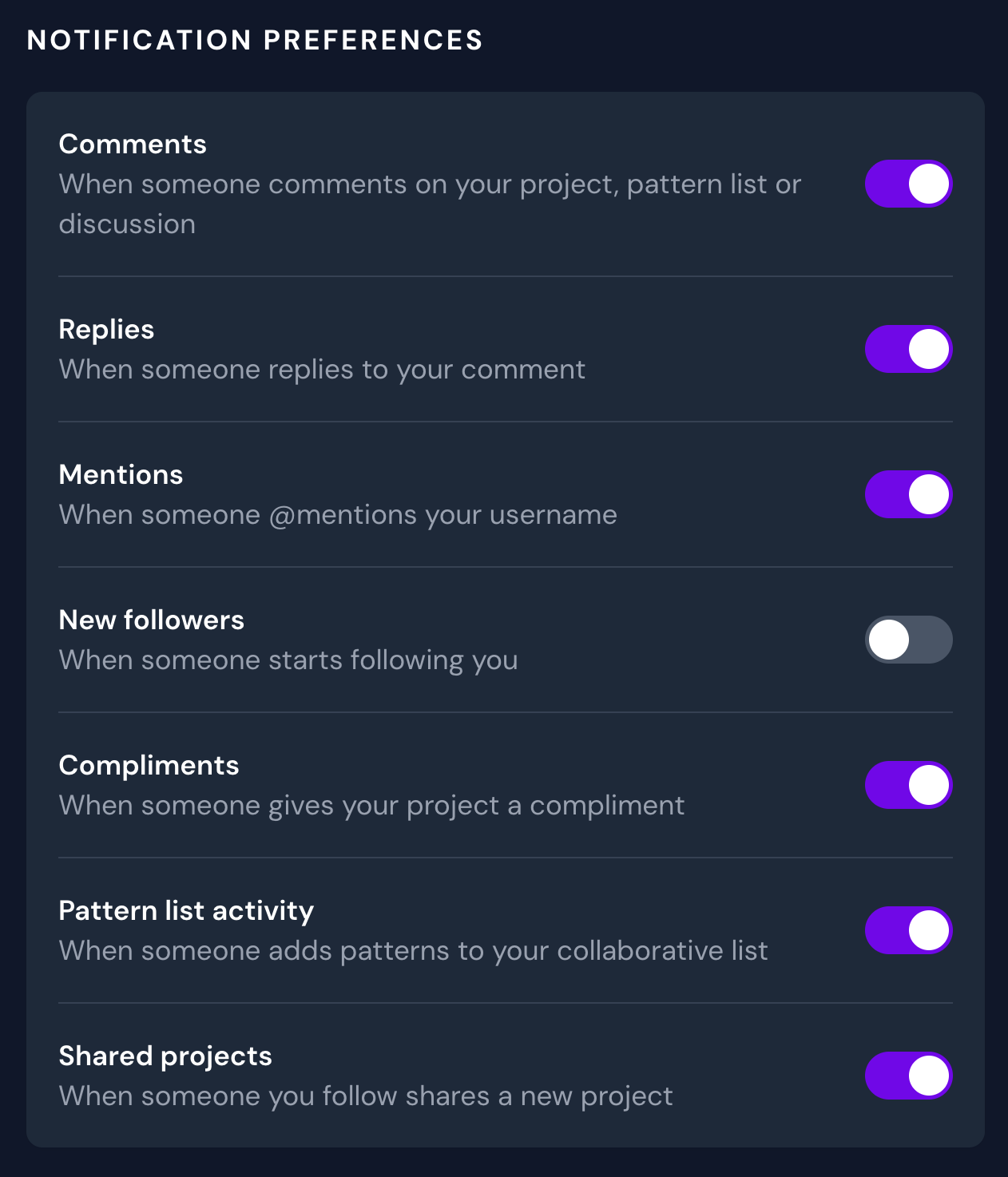
Notification preferences
You can change your notification preferences whenever you like, which will decide whether or not you will receive a notification based on an activity.
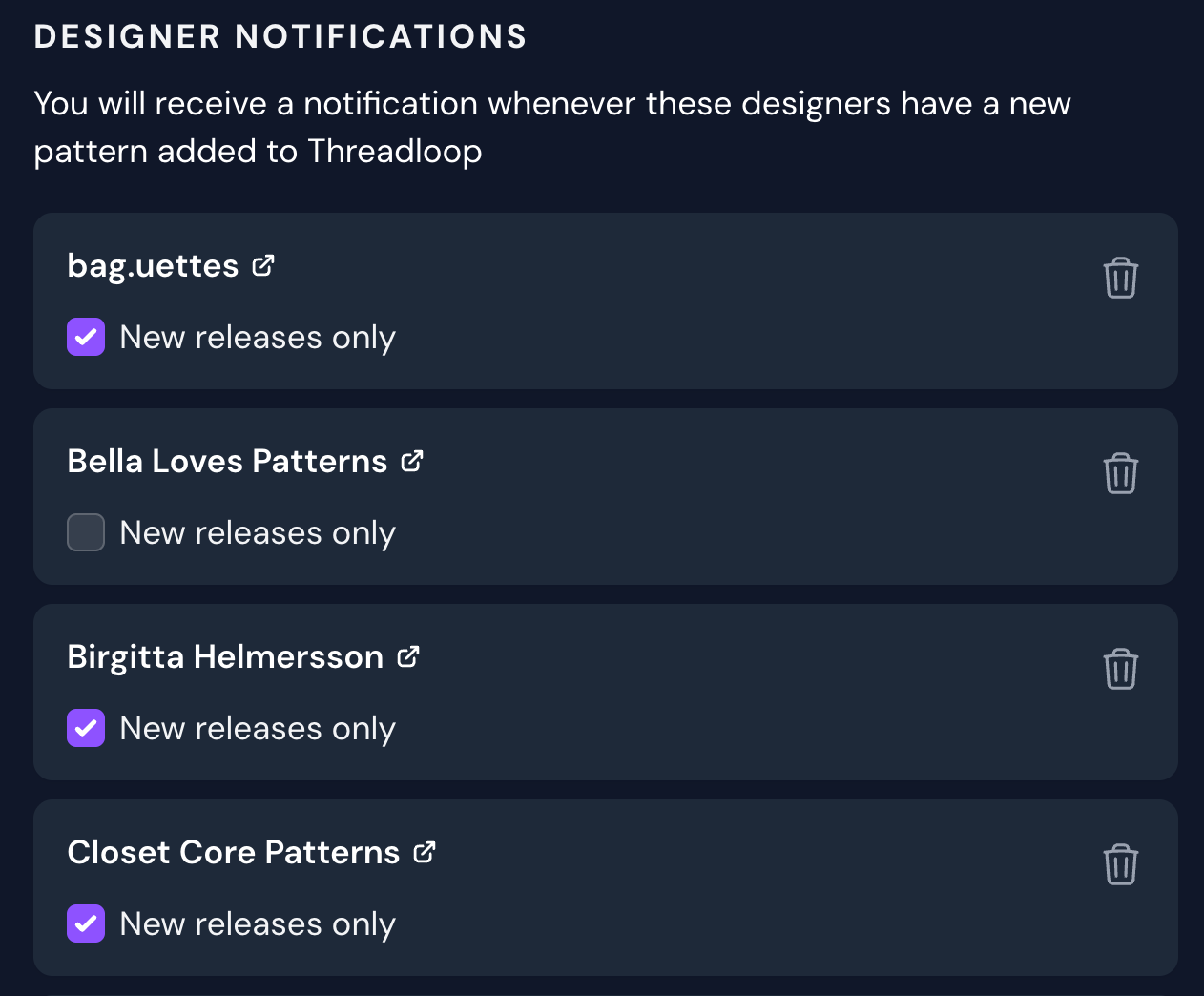
Designer notifications
✨ Following designers is a Plus feature - which means it's only available to Plus members. You can read more about following designers and other features you get with Plus here.
In your notification settings, you can manage the notifications you get for the designers you follow. You can decide if you want to receive notification any time there is a pattern added to the database, or just when it's a new release. You can also unfollow a designer by clicking the trash icon.