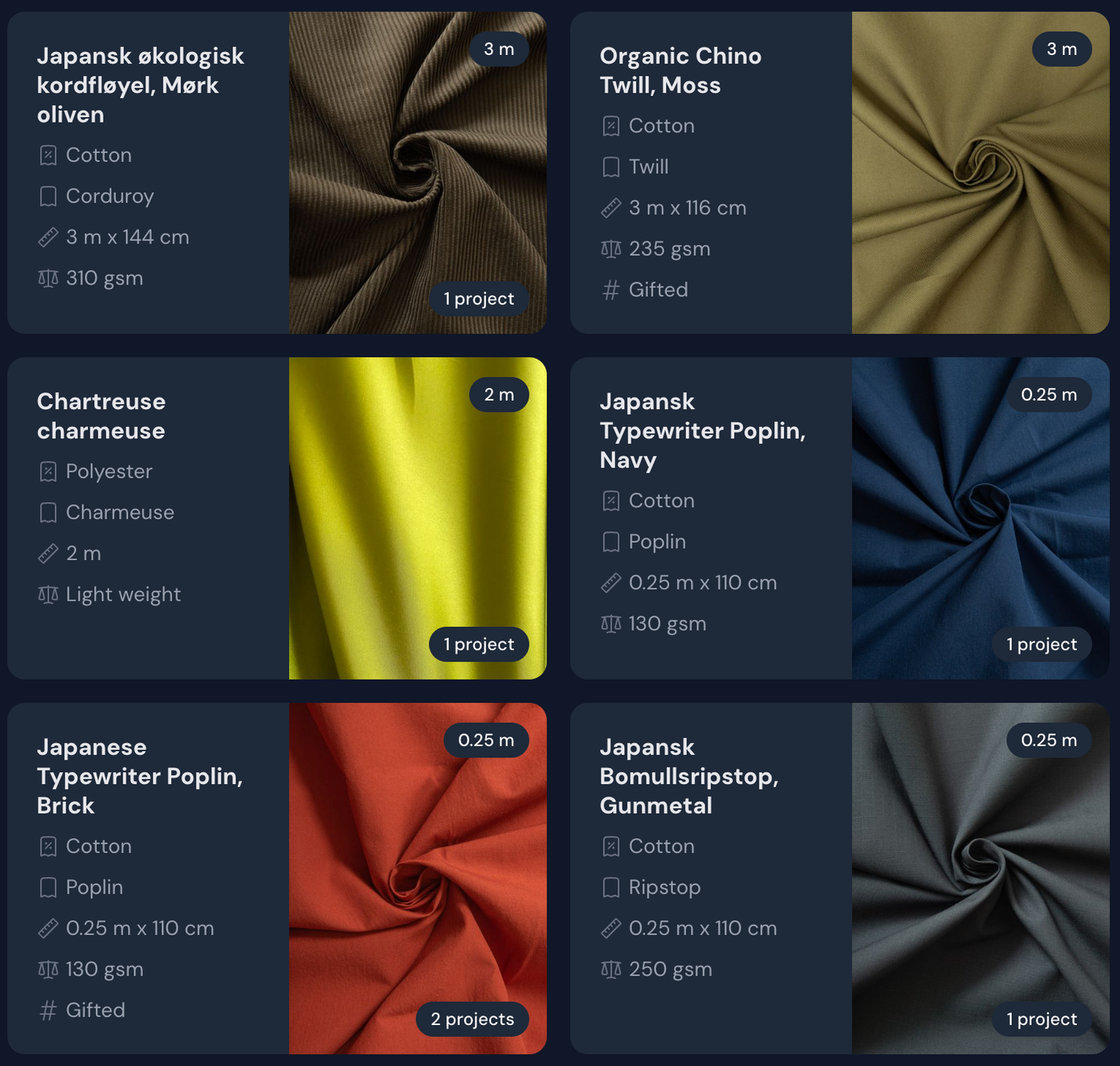
Organising your fabrics on Threadloop can be very useful for getting a proper overview of the fabrics you own - that you can access anywhere.
How to add fabrics
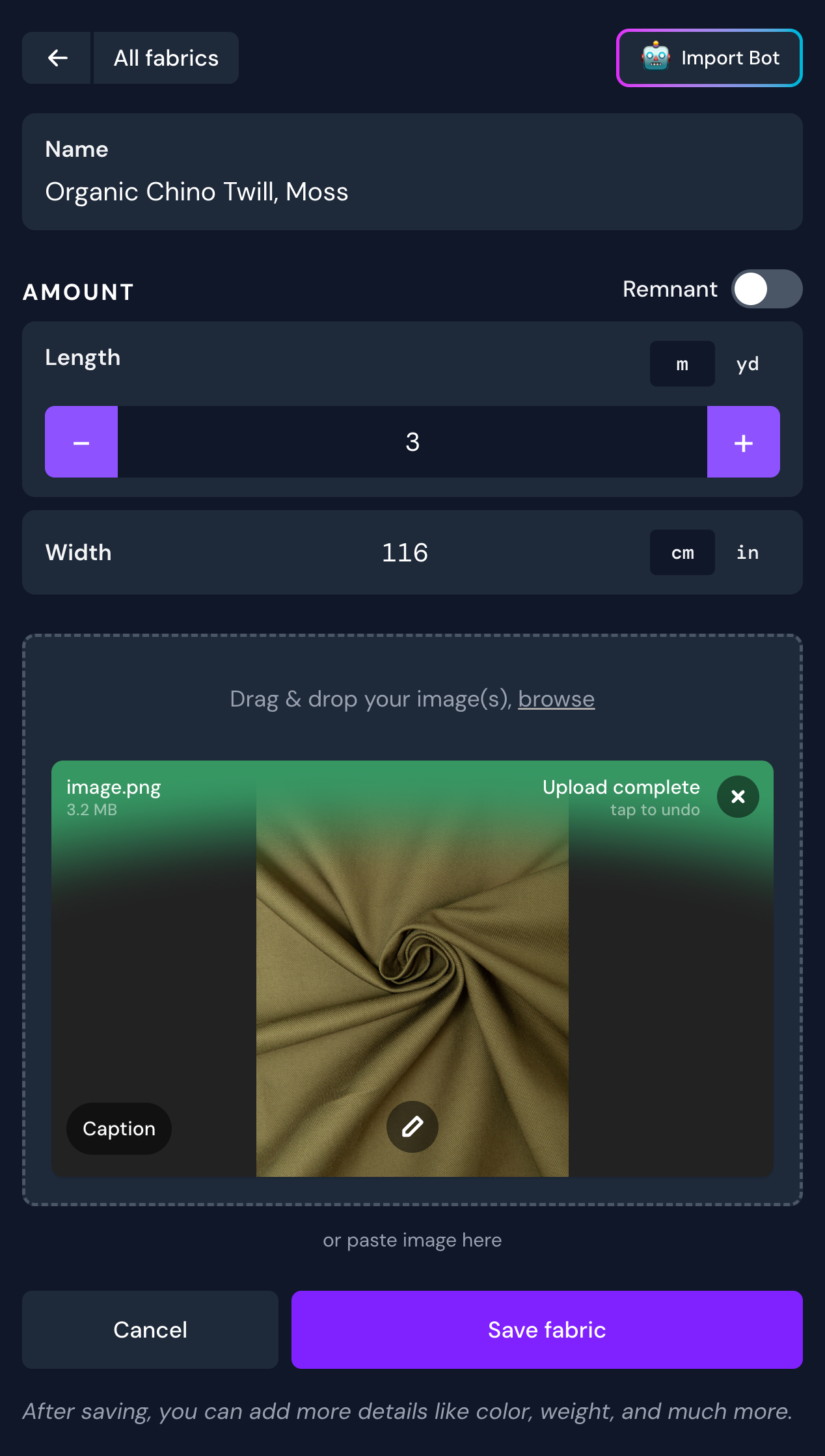
When you add a new fabric, you will first be given a short form for basic details - name, length and width. Upon saving this form, you will then be able to add more advanced and detailed information like fibre content, weave, stretch and percentage, weight and more.
This basic form will open up to a more detailed form after saving
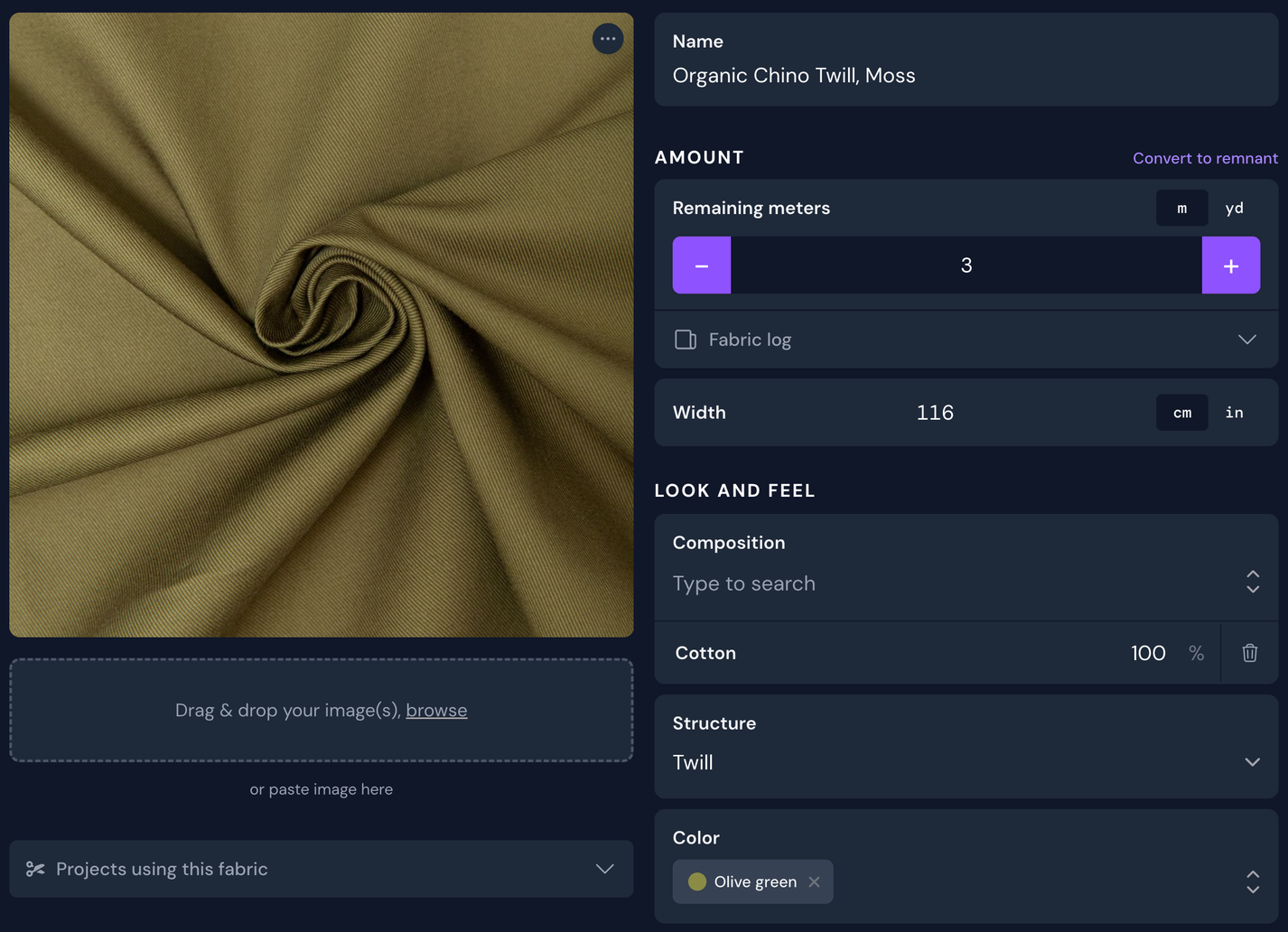
Once saved, you can now manage your fabric, and add a lot more details to it if you want to.
For your fabric stash to be as helpful to you as possible, it's useful to fill most of the Look and feel field - at least the composition (e.g. Cotton), structure (e.g. Twill) and color of the fabric. This will be handy when and if you are searching for something specific in your stash later, as you can filter by these attributes.
Hot tip! With a Plus membership you get to skip all this manual input by using the fabric import bot - which will fill out all the information for you just by using a link to where you purchased the fabric.
Using fabric
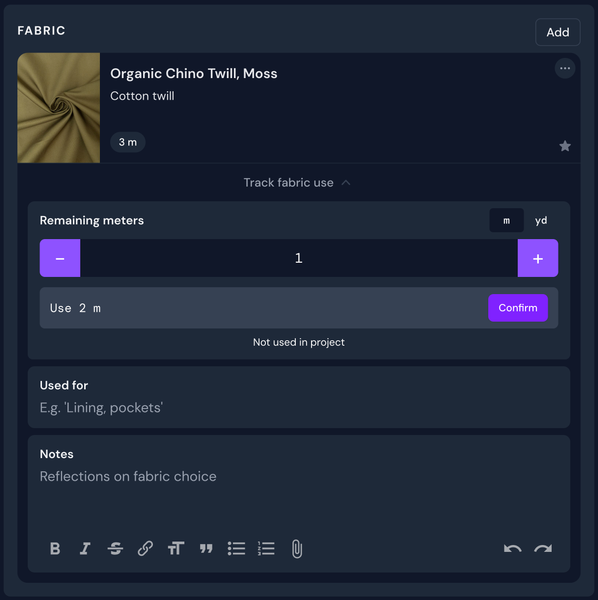
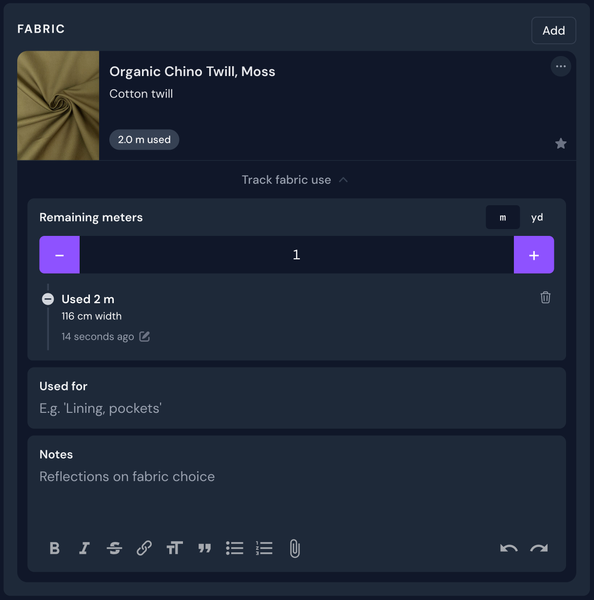
There are two main ways you can use up fabric. Either by changing the remaining length on the fabric page, or in the project you are using it for.
For the optimal stats, it's recommended to use up your fabrics from the projects it's been added to.
Enter in the remaining length and confirm how much you've used
2 meters were used for this project, as you can see in the log
Fabric log
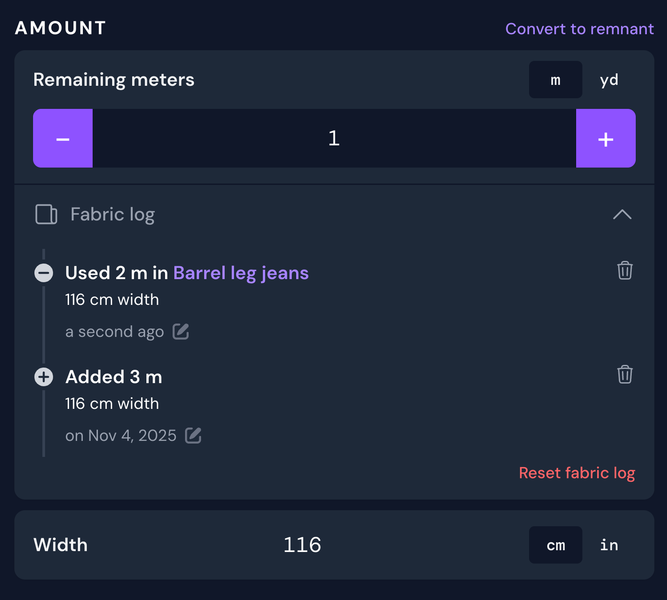
On every fabric page, you will see a Fabric log (in the Amount section). Open this up to see a log of added and used fabric.
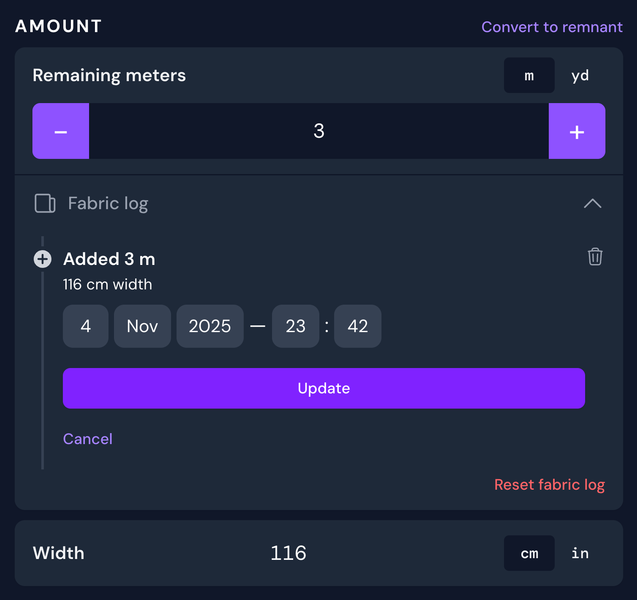
You can at any time edit the date of a log entry by clicking the pencil-icon next to the date. You can also delete any entry in the fabric log, or reset the log entirely.
Fabric log
Editing a log entry
If you have used the fabric from a project, there will be a link to that project in the fabric log.
Converting to remnant
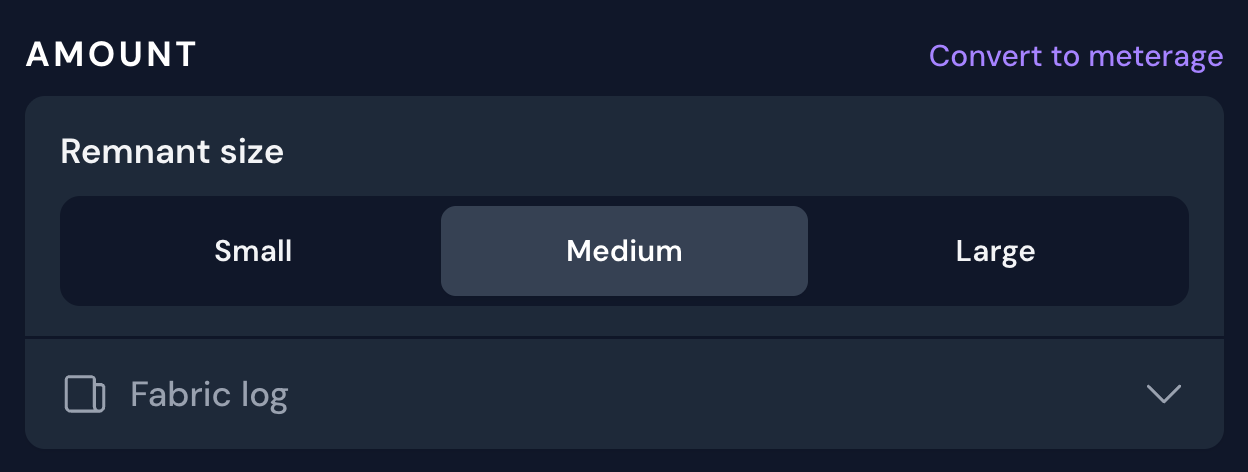
If you've used up a lot of your fabric or you have an awkwardly sized piece, it can be converted to a remnant using the convert to remnant link in the Amount section.
Remnants are sized as small, medium or large. What these sizes mean is totally up to your personal interpretation, but they can be filtered upon by size.
You can convert it back to meterage/yardage as well.
Duplicate and archive
✨ Duplicating and archiving are Plus features
If you want to add multiple fabrics that are quite similar, you can duplicate it.
If you don't want to see a fabric in your stash anymore, but you don't want to delete it either, you can archive it. This can be especially useful for fabrics that you've used up, but want to save information for.
Fabric 'wish list'
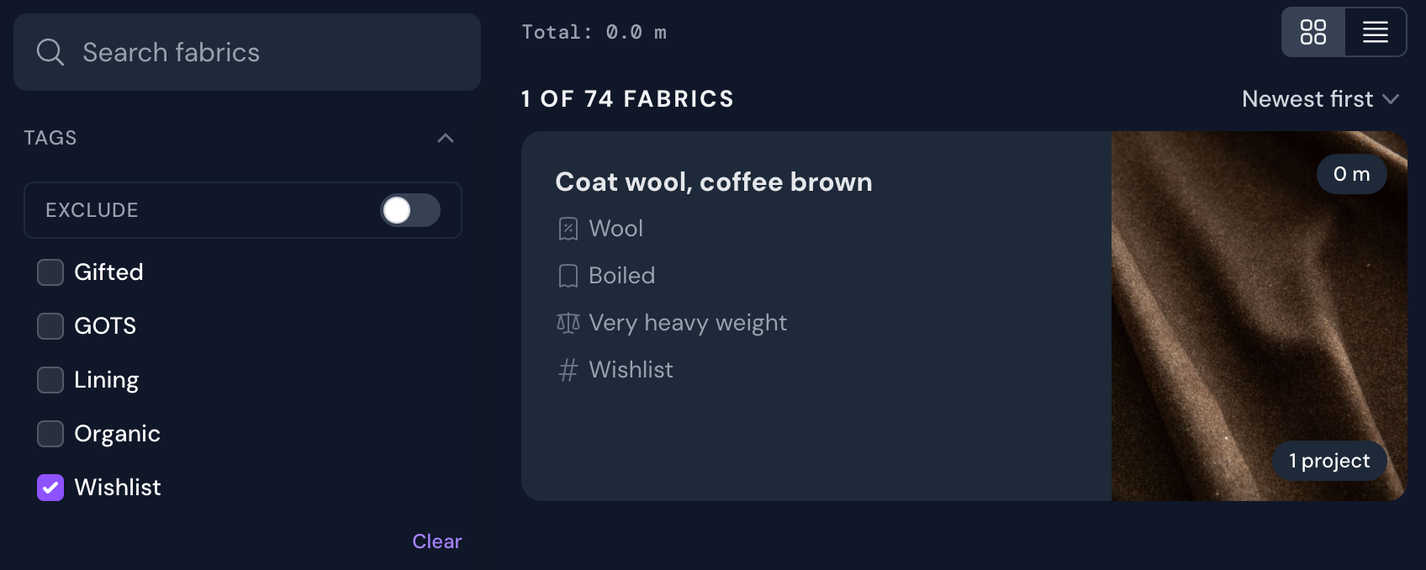
There is no official fabric wish list, but a workaround here is to add the fabric you're considering to purchase, with a length of 0 and a tag called something like 'wishlist'. This way you'll be able to easily add this fabric to any projects, and to quickly add it to your stash if and when you purchase it (by increasing the length).
In general, using tags can be very powerful and allow you to customise your experience to your specific needs.
Bulk fabric import
When first joining threadloop, you might be looking to transfer from another system or app. If you can export a CSV (comma-separate values), then you can bulk import this file into your fabric stash on threadloop using the bulk fabric import
The import process will guide you through matching these Threadloop attributes to the fields of your CSV file. It's worth checking the Currently supported attributes list to understand the supported fields and values so you can manipulate or adjust your data before import, if necessary.
This feature is beta, so please make sure to verify the results of this import