Introduction
Getting started
We’re so excited that you decided to join our community! Here are some suggestions to get started.
Build your pattern library
Browse our extensive pattern library using powerful search and filters to find exactly what you're looking for.
Pro tip: sort patterns by 'Most stashed' to discover community favorites, some of which you probably own! Simply use the options button (three dots) to add patterns to your stash or to wishlist them. Browse patterns here.
Pro tip: sort patterns by 'Most stashed' to discover community favorites, some of which you probably own! Simply use the options button (three dots) to add patterns to your stash or to wishlist them. Browse patterns here.
Plan your first project
Struggle to keep track of all your sewing whims when they’re just in your head? Turn your ideas into reality with our simple project planner. Create your first project.
If you're not sure how to start, watch this video:
If you're not sure how to start, watch this video:
Organize your sewing supplies
It might seem daunting, but adding your fabrics and notions to Threadloop does not have to be scary.
Begin with your favourite fabrics or upcoming project supplies. You can always add more as you go! Why not try to add your first fabric or some notions.
Begin with your favourite fabrics or upcoming project supplies. You can always add more as you go! Why not try to add your first fabric or some notions.
Get inspired
If you're not ready to use Threadloop as a tool for yourself yet, there are so many ways you can get inspired by other members.
Check out curated and collaborative pattern lists, or browse shared projects. An easy way to see what people are up to on Threadloop is to check out the activity feed.
Add Threadloop as an app on your device
Threadloop is a progressive web app (PWA) - which means you can use it on any device with a browser. But if you'd prefer to access it like an app on your phone or computer, you can do this very easily!
On your phone: Open Threadloop in your browser, tap the share button (iPhone) or menu (Android), then select 'Add to Home Screen'. If you prefer video instructions, you can watch a video on Instagram.
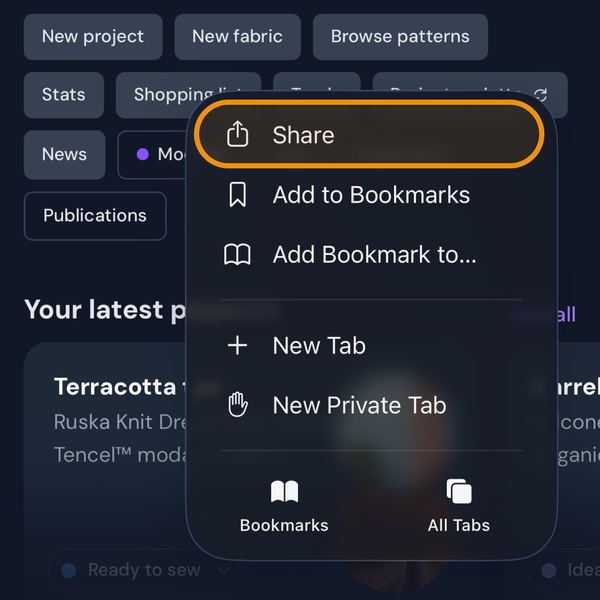
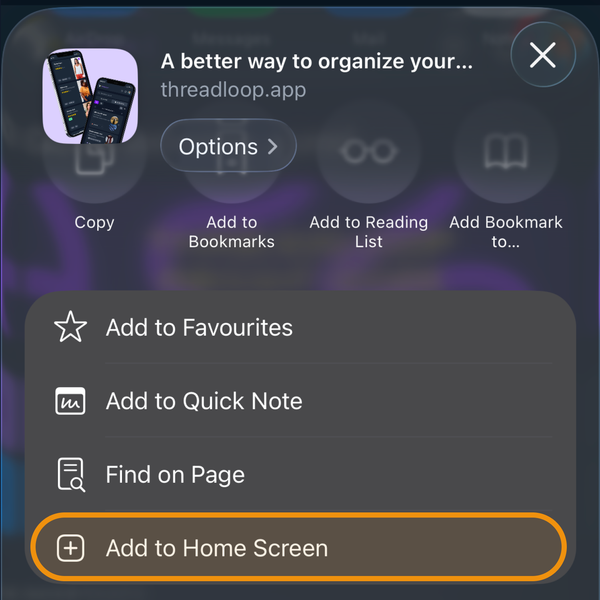
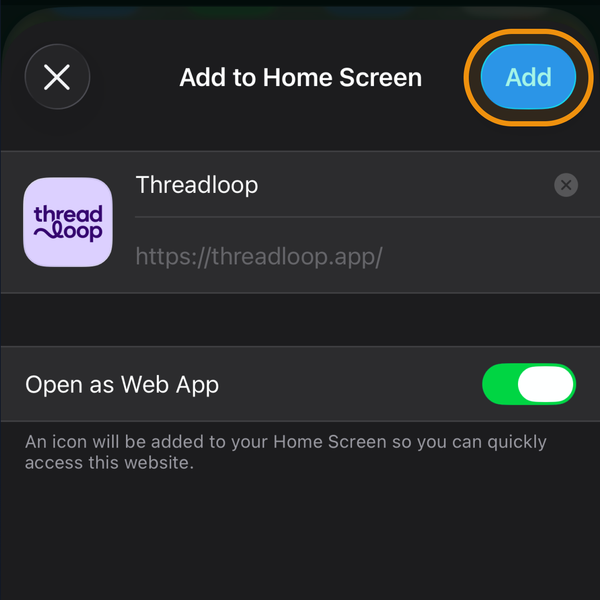
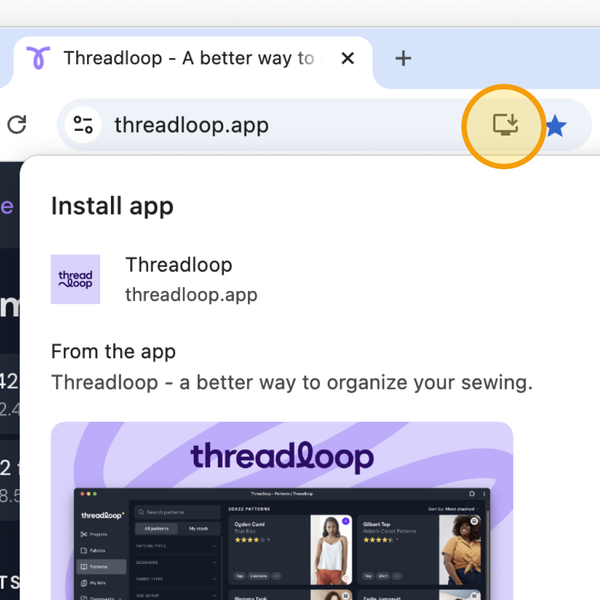
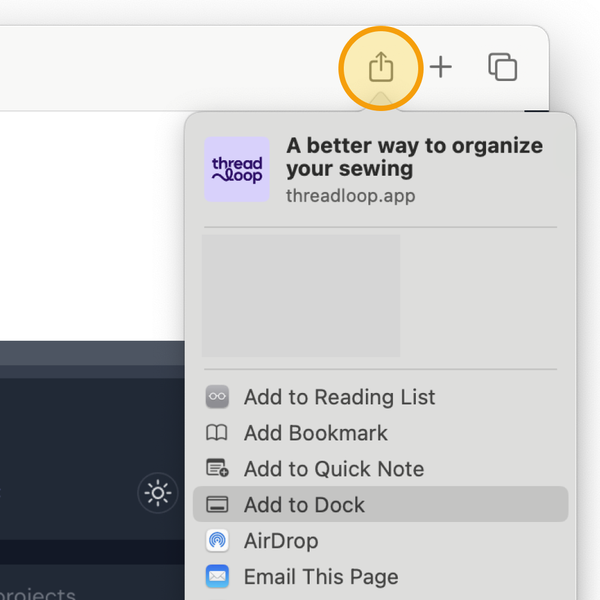
On your computer: The process varies by browser, but it's fairly straightforward:
January 22, 2026