The pattern database on Threadloop is completely crowdsourced - meaning that the patterns are added and quality controlled by members of the community.
The database is completely independent and aims to be a comprehensive overview of sewing patterns, both available and out of print.
Can I buy patterns?
You can not buy or sell patterns directly on Threadloop. There are no affiliate links or sponsorships that influence the database.
If you want to purchase patterns you find on Threadloop, you will in most cases find a link to the pattern designers' website on the pattern listing. We do not make any money off sales from these links, and they are not tracked by us in any way.
What can I use the database for?
The pattern database on Threadloop can be useful to a sewist of any level.
You can use it to:
Get an overview of the patterns you own
Create a wishlist of patterns you want
Find suitable patterns for your next project
Stay in the loop of newly released patterns
Find reviews and discussions about patterns you're interested in
Store your pattern PDFs (Plus feature)
…and much more
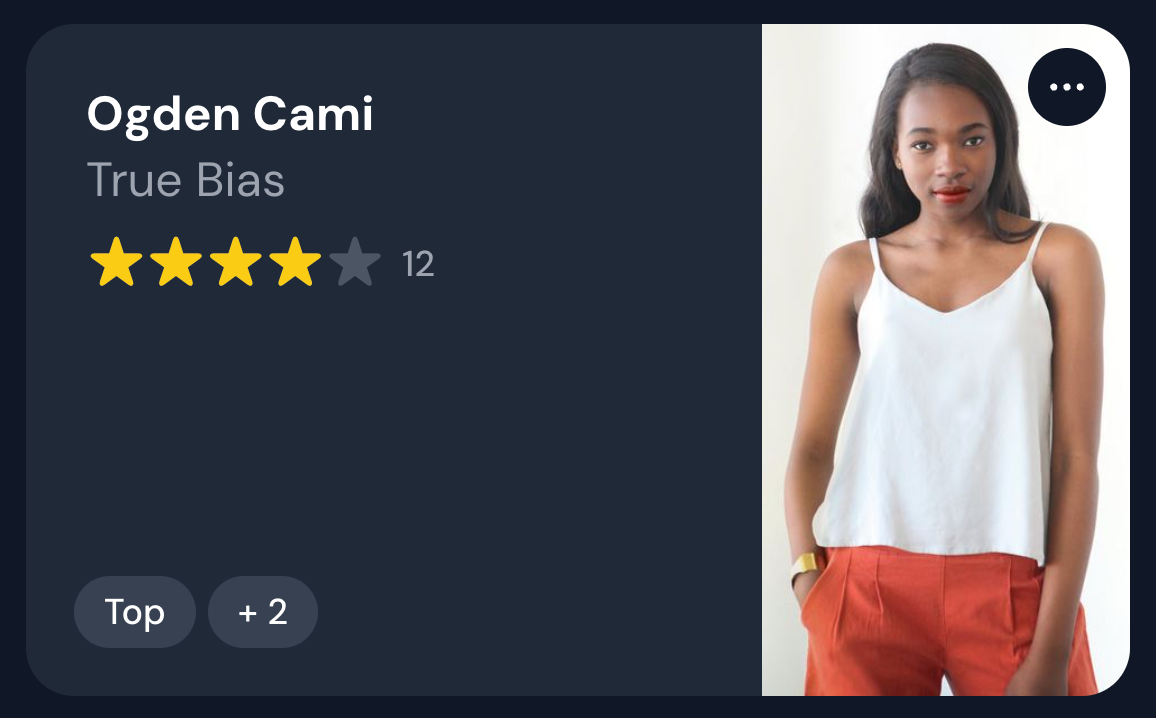
The patterns are displayed as pattern cards. They contain the most important information, such as the name, designer, image, pattern type and rating. There might also be additional tags to indicate whether a pattern is new, free or unavailable. If you have stashed or wishlisted a pattern, this will also be indicated on the card.
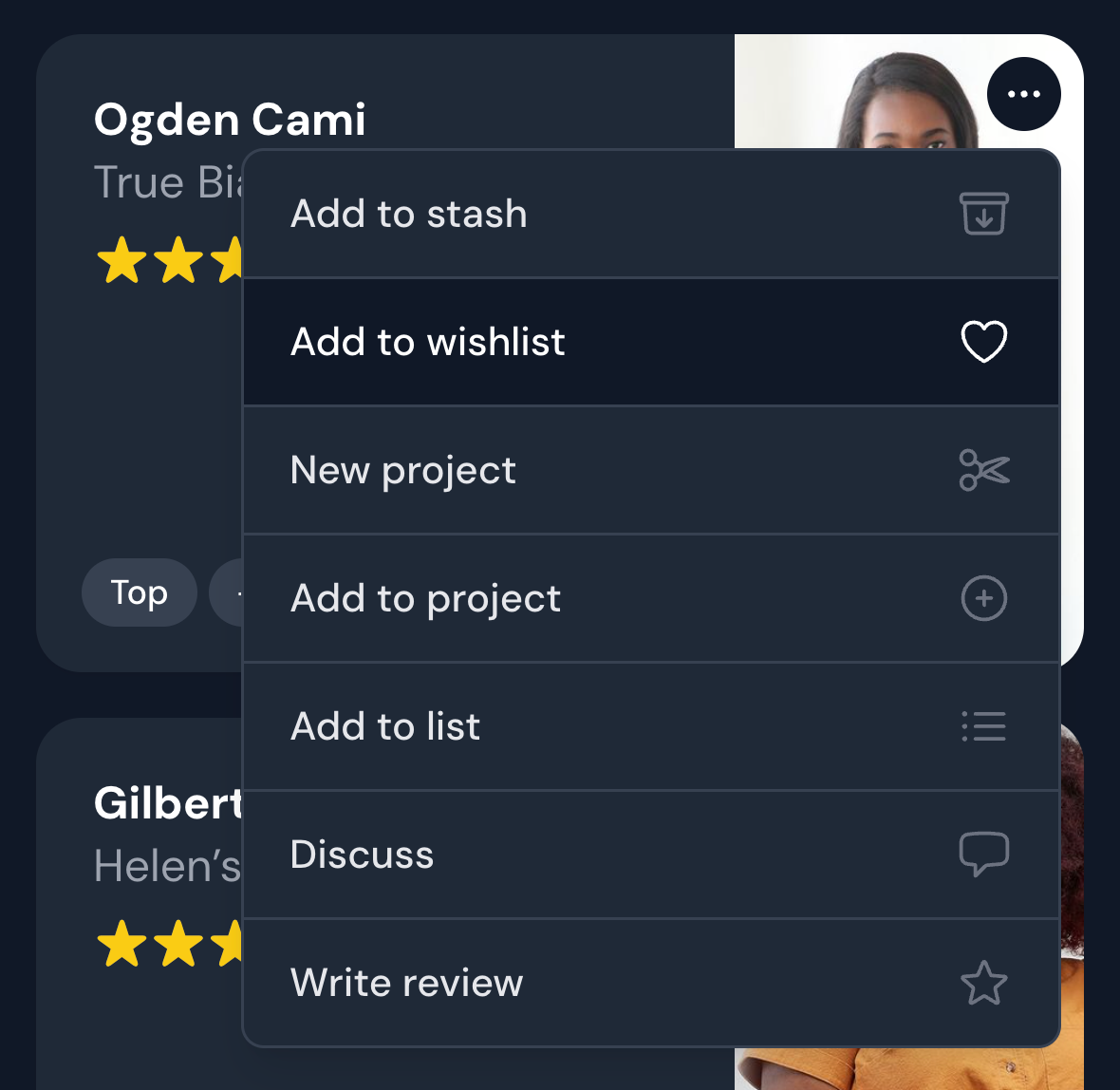
Click on any part of the card to go to the pattern page. The options button in the right corner (three dots) opens a contextual menu that gives you access to quick actions with this pattern: adding it to your stash or wishlist, creating a project, adding it to a list, discussing it, or writing a review.
Managing your stash
When you add a pattern to your stash on Threadloop, this means that you own or have access to this pattern. Use this as a tool to get an overview of the patterns you have. Stashing a pattern on Threadloop does not supply you with any files or materials. In other words, we do not distribute pattern files or instructions.
However, once you've stashed a pattern, you get access to a new section on the pattern page: My details. Here you can note down your personal information related to the pattern, like what format you have, tags, or notes. If you have Threadloop Plus, you can also upload your files (these will only be accessible to you personally).
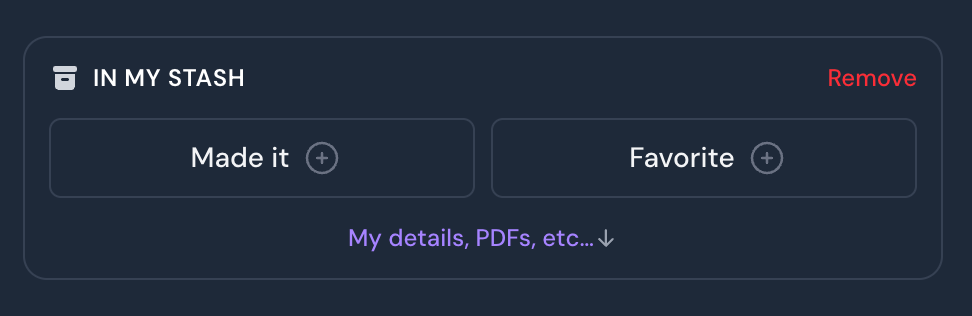
How to remove a pattern from your stash To remove a pattern from your stash, go to the pattern page and find the "IN MY STASH" section below the pattern description. Click 'Remove', which is located in the top right corner of this box.
Wishlisting patterns
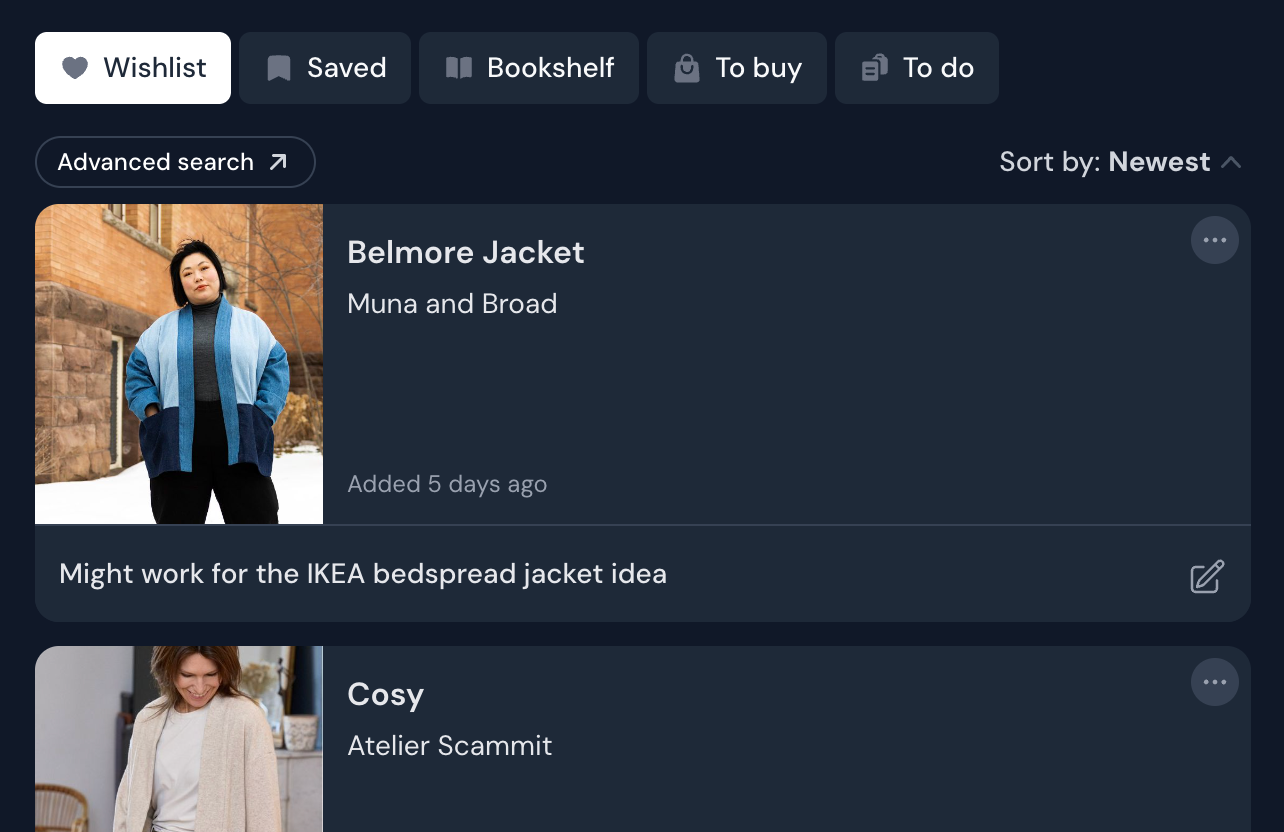
When you wishlist a pattern, you will be able to find it on the wishlist page.
Here, you have the ability to write notes, for example about why you have wishlisted it. You can also sort by time added to wishlist.
To use advanced filters with wishlist (such as a particular designer on sale, type of pattern for a project, etc), head over to the pattern page with the wishlist only filter applied - or you can use the Advanced search button at the top of the wishlist.
When a pattern from your wishlist is added to your stash, it's removed from the wishlist, and any notes attached to it will be moved to the Notes section of My details.