Pattern database
Editing patterns
If you see a pattern with missing or wrong information, you can edit the pattern to fix it. Before doing so, please make sure that the information you have is correct and aligned with the guidelines. Any edits you make to a pattern will apply to all users of Threadloop, so please refrain from making changes solely due to personal preferences or removing information unless you've verified that it is incorrect.
What changes can I make?
Common edits include but are not limited to:
- Updating the URL (if the current one is not accessible anymore)
- Adding more/better images (to show more variations)
- Adding missing data (like measurement information)
- Moving information from the description to applicable fields (size/format/sewing level/etc)
- Changing it to unavailable/available if availability has changed
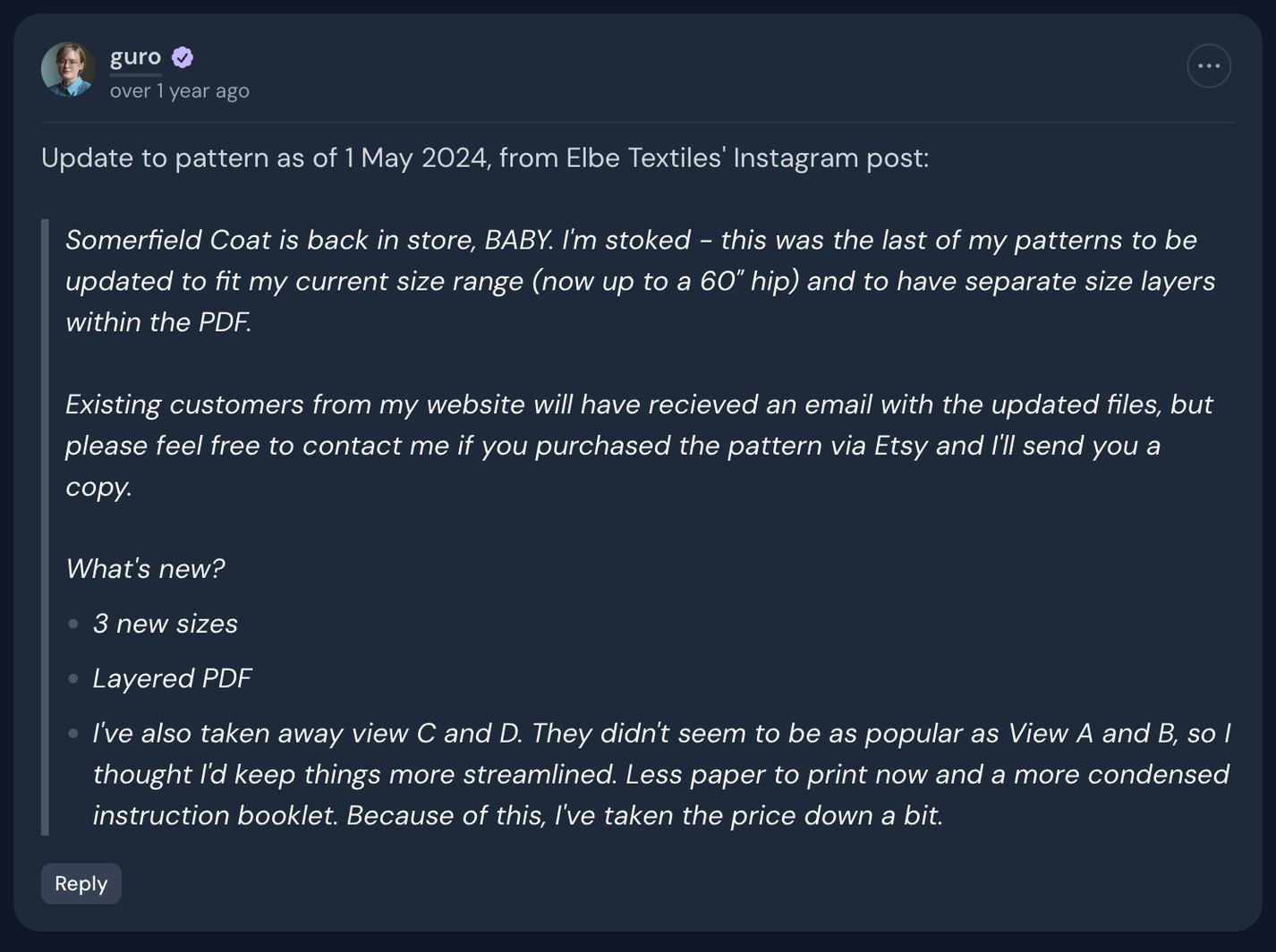
If making big changes because the designer has updated the pattern substantially, it is good practice to add a notice about this in the pattern discussion in addition to making changes to the pattern page itself. You can often find these kinds of announcements on Instagram, blog posts, or newsletters from the designers.
What's not ok to change:
- Deleting or rearranging the order of images for personal reasons
- Removing or changing information without being certain you're correct
- Changing a pattern so it no longer aligns with the official guidelines
If there is contention about a pattern, where users are editing back and forth, please tag admins or mods in a comment on the pattern to allow us to find out what the correct information should be.
How to edit a pattern
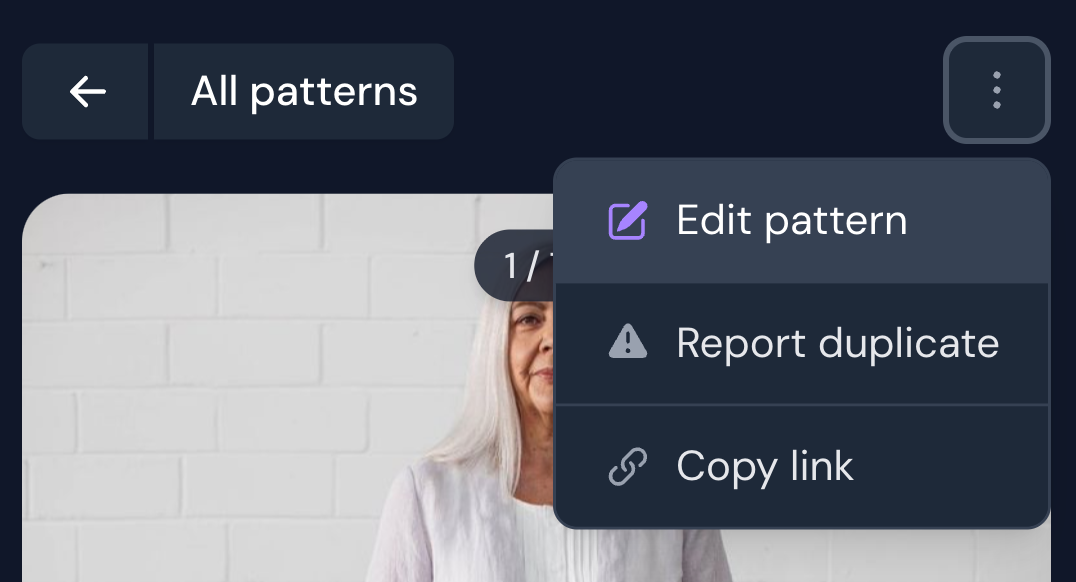
Go to the pattern page -> Click the options button in the top right corner (three dots) -> Edit pattern. This will take you to the pattern form, where you can make changes or add missing information.
Reporting a duplicate
If you find a pattern in the database that is a duplicate of another pattern, please report it as a duplicate and we will fix it as soon as we can.
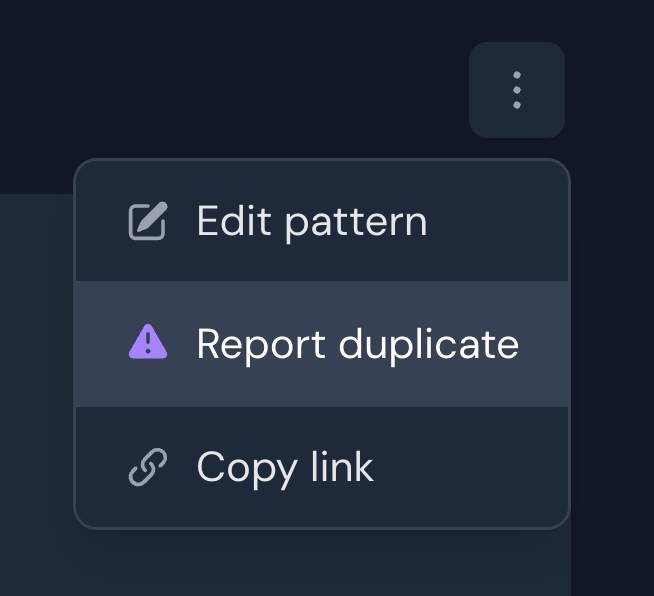
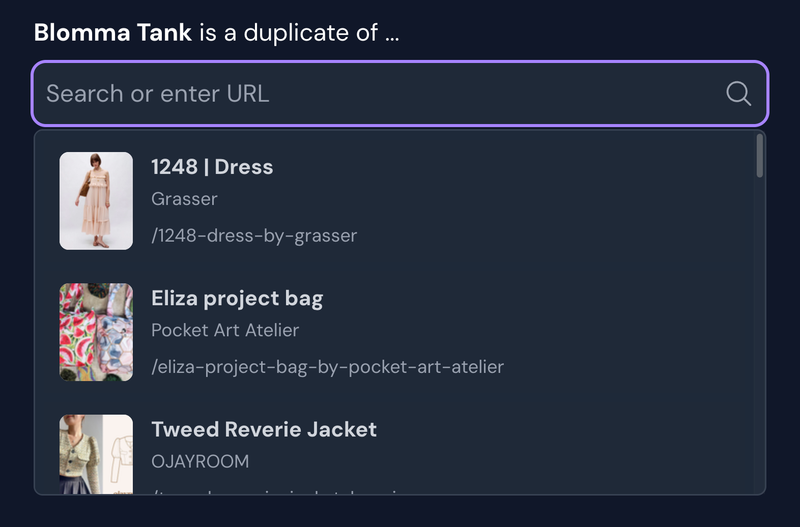
To report a duplicate, click the options button in the top right corner of the pattern page -> Report duplicate. Here you will search for and find the duplicate pattern, and send in your report.
To report a duplicate, click the options button in the top right corner of the pattern page -> Report duplicate. Here you will search for and find the duplicate pattern, and send in your report.
January 17, 2026